Still you. Just drawn.
Cartoon Avatar Maker
Turn your photo into a cartoon profile picture — flat vector, claymation or comic ink — with your face, age and style held, or describe an original character if you’d rather not use a photo at all.
1 credit per avatar; a transparent cut-out is 1 more. Plans renew monthly until cancelled and can be cancelled online at any time — see pricing details.
Opens the image studio on Seedream 5.0 Lite, 1:1, PNG. You can edit anything before generating.
From your photo
Pick a style; the studio opens in edit mode with the avatar prompt written. Add a clear photo of yourself and generate.
One portrait, three avatars
An AI-generated adult portrait and the three cartoon renderings these avatar presets are built on, cropped to circles the way a profile shows them. No real person's photo is used.
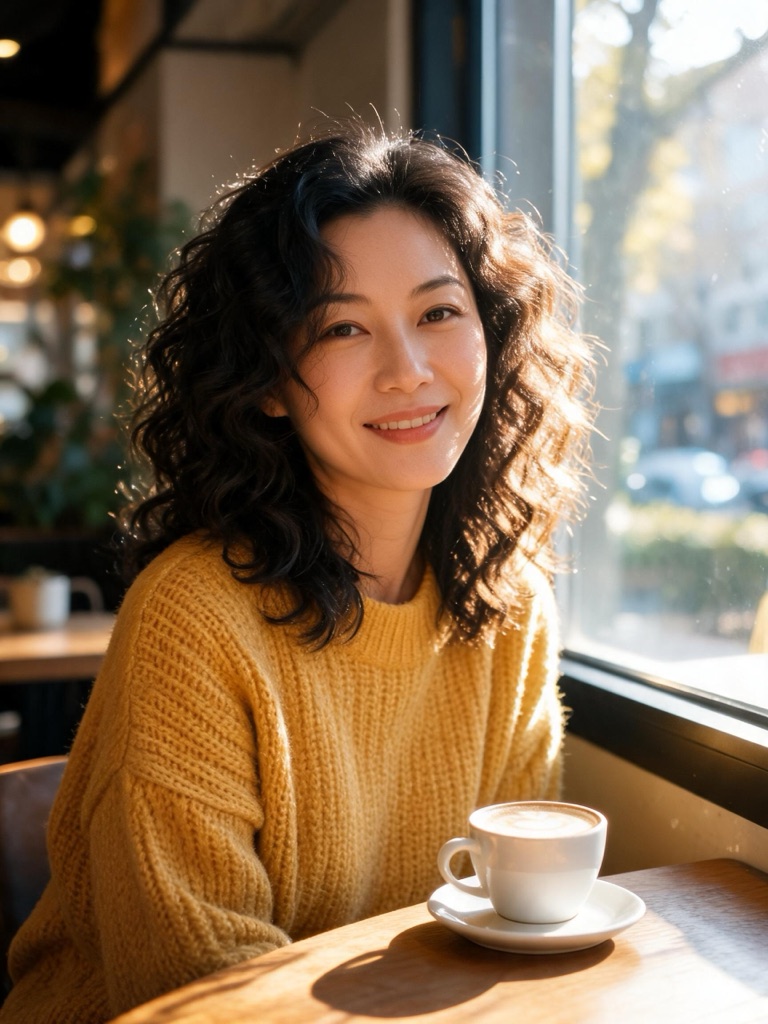
AI-generated source
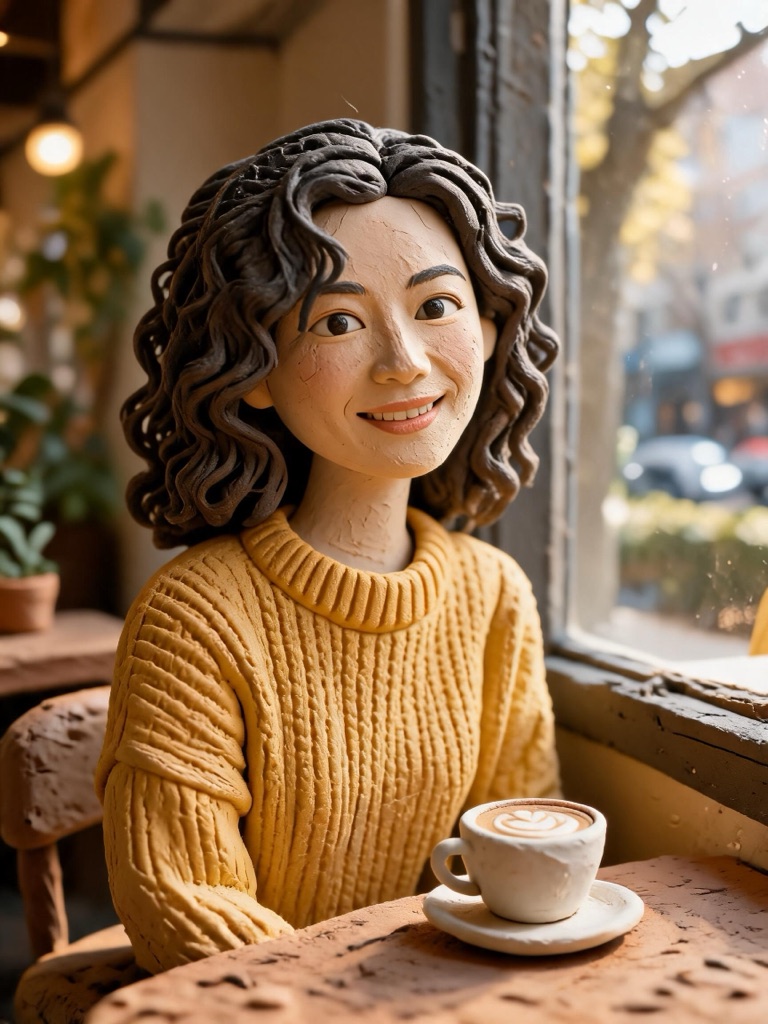 3D claymation
Use this style →
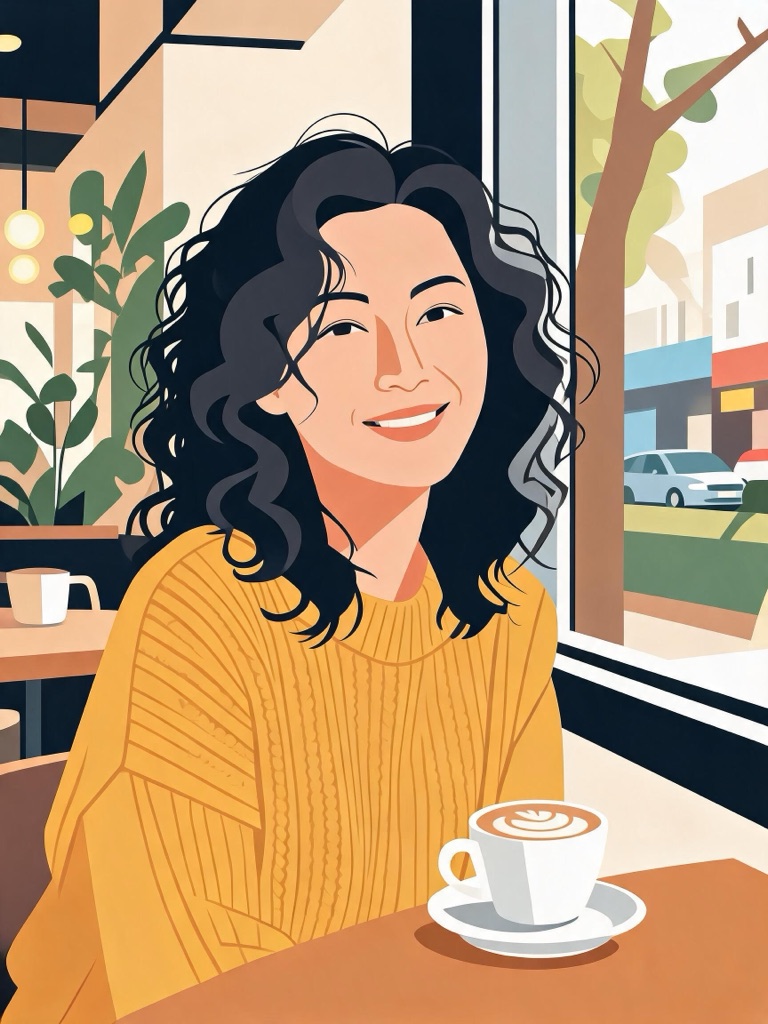 Flat vector
Use this style →
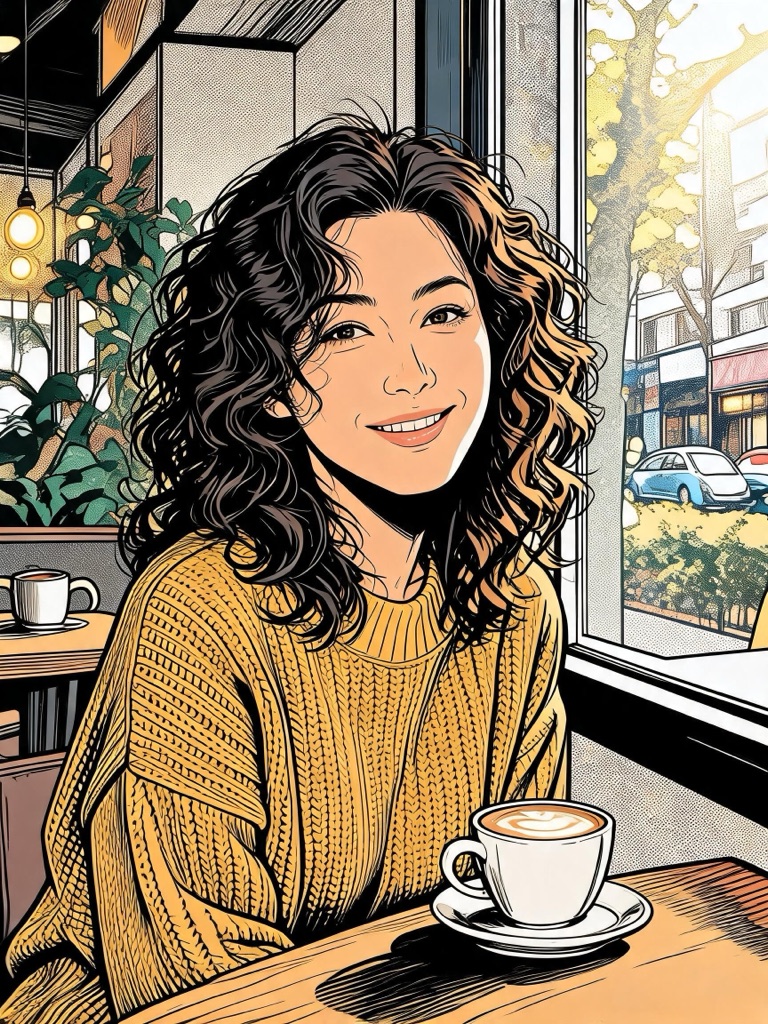 Comic ink
Use this style →
A cartoon avatar in three steps
Choose the route
Your photo for an avatar that looks like you; a description for an original character or an anonymous account.
Pick a style
Flat vector for small circles, claymation for warmth, comic ink for bold banners. The studio opens with the prompt written.
Generate and upload
The avatar is square with the face centred, so it crops to a circle cleanly. Download and set it as your picture.
How it keeps the likeness
Avatar filters that disappoint redraw the person: the hair changes, the eyes grow, the face gets rounder and younger, and the avatar is of somebody else. These presets are written the other way round. The photo is the reference, and the prompt holds your age, face shape, features, hairstyle, skin tone, expression and clothing, keeps adult proportions and eye size, and lets only three things change: the drawing style, the crop and the backdrop.
For more styles on the same photo — including your pet, your car or your house — use photo to cartoon. For an avatar as an emote or sticker, cut it out with the transparent background maker and size it in the Twitch emote maker. For a character that has to look identical across many images, build it in the AI character generator.
Photos, consent and labelling
Use photos of yourself, or of someone who has given you permission; photos of public figures are declined before anything is generated. The presets restyle the person in the photo and never turn them into someone else. Every avatar is AI-generated and carries a signed C2PA provenance mark, in line with Article 50 of the EU AI Act; anyone can read it on the verification page, and the Content & Safety Policy sets out what may not be created. Plans renew monthly until cancelled and can be cancelled online at any time; the full terms are on pricing details.
Frequently asked questions
How do I make a cartoon avatar of myself?
Pick one of the three photo styles on this page. The image studio opens in edit mode with the avatar prompt already written; add a clear photo of yourself and generate. You get a head-and-shoulders cartoon on a plain backdrop, square and ready to crop to a circle, for 1 credit.
Will the avatar still look like me?
That is what the prompt is built for. It tells the model to keep your age, face shape, features, hairstyle, skin tone, expression and clothing, to keep adult proportions and eye size, and to change only the drawing style, the framing and the background. Flat vector simplifies the most, so it keeps the likeness in broad strokes.
Can I make an avatar without using my photo?
Yes. Describe a character in the box at the top — hair, glasses, a scarf, a profession — pick a style, and the studio draws an original adult character as a head-and-shoulders avatar. It is the route for anonymous accounts, team personas and brand mascots.
What size should a profile picture be?
Most platforms take a square image and show it as a circle, from about 40 pixels in a comment to a few hundred on a profile page. The studio outputs a 2K square, so crop nothing and upload as is; keep the face in the middle third so the circle does not clip it.
Can I get a transparent background?
Yes. Take the avatar to the transparent background maker and the backdrop is removed to a PNG for 1 credit — useful for stream overlays, name badges and emotes.
Can I make an avatar of a friend or a colleague?
Only with their permission. A photo of another person needs their consent, and photos of public figures are declined before anything is generated. The presets restyle the person in the photo; they never turn anyone into someone else.
Which style should I pick?
Flat vector for work profiles and small circles — it stays legible at 40 pixels. 3D claymation for personal accounts, where warmth matters more than crispness. Comic ink for gaming and creator profiles, where bold lines hold up on busy banners.
Use your avatar everywhere
One credit balance across image, video and music.
Photo to Cartoon
More styles, for pets, cars and places too.
OpenTwitch Emote Maker
Your avatar as a 28-pixel emote.
OpenAI Emoji Generator
Matching emoji for your server.
OpenTransparent Background Maker
Your avatar on nothing, as a PNG.
OpenAI Image Studio
Where every avatar preset opens.
OpenImage to Video
Animate the avatar into a short intro.
OpenVerify AI content
Read the C2PA provenance mark on any file.
Open