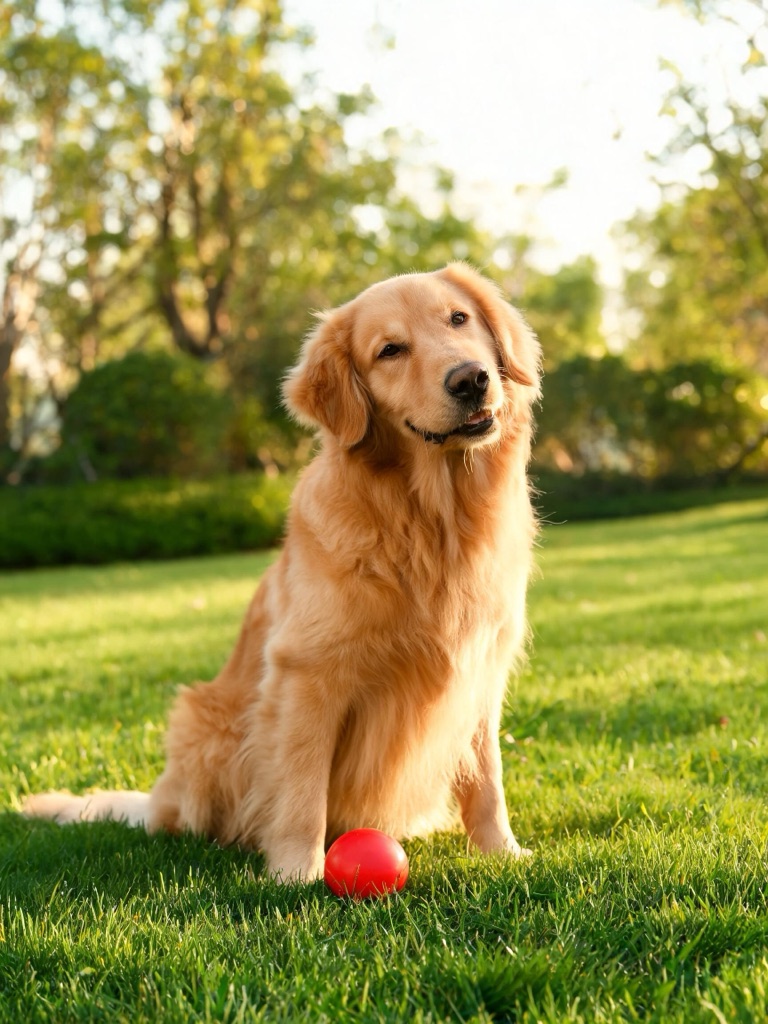
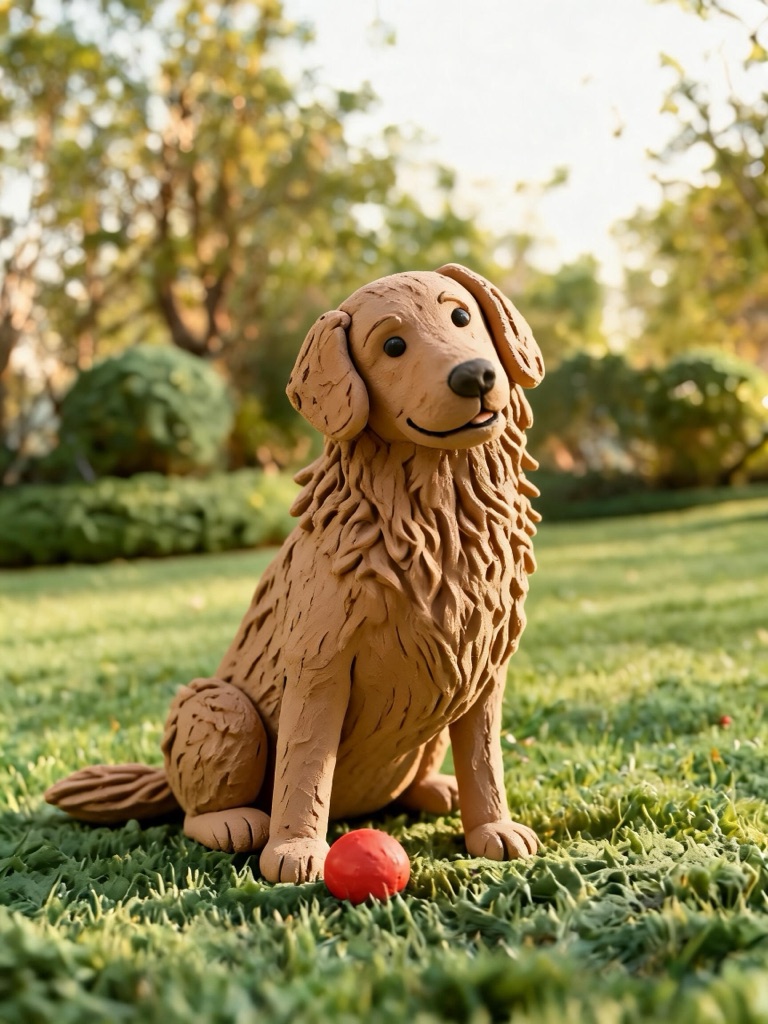
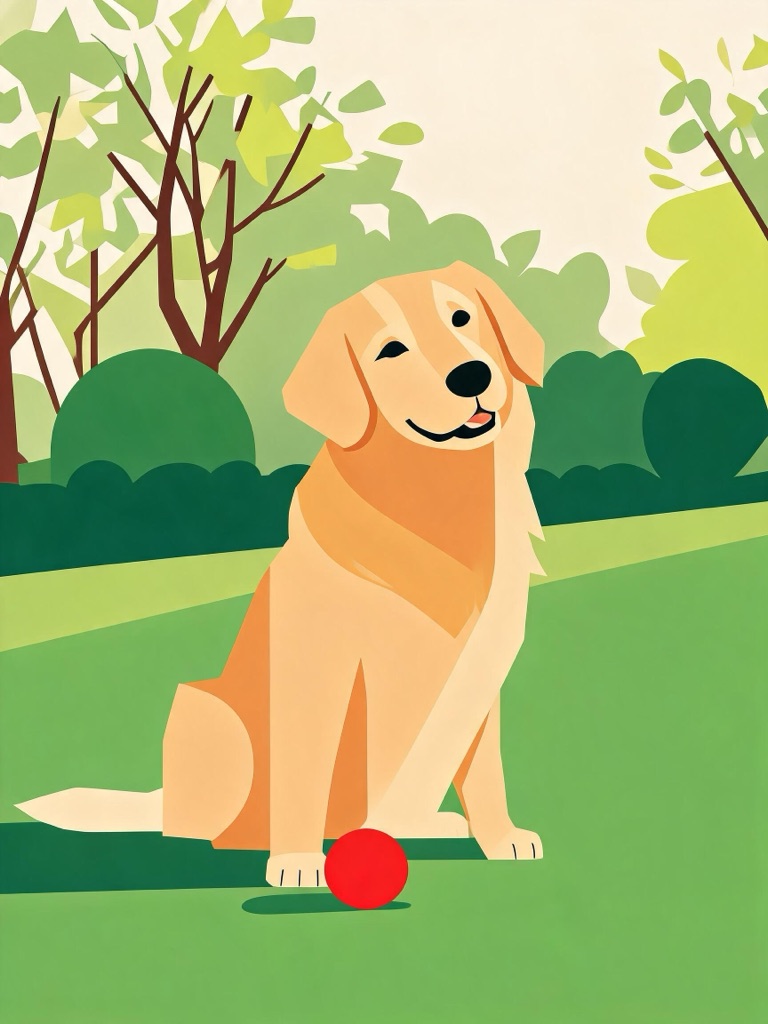
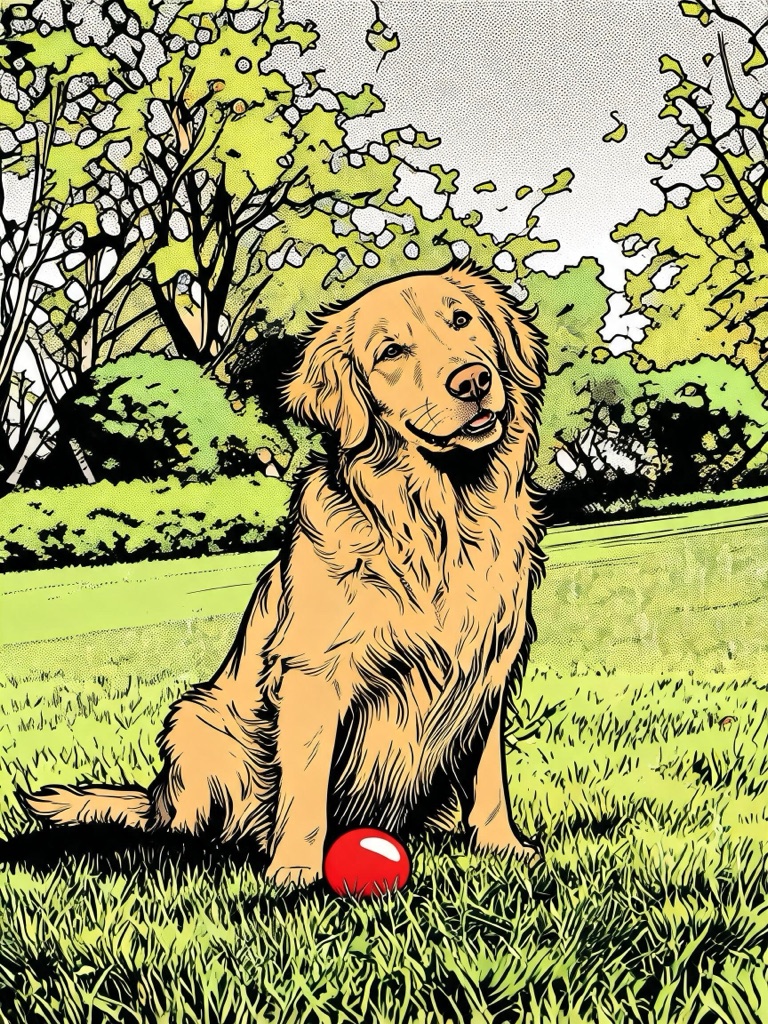
Same photo. Same pose. Drawn three new ways.
Photo to Cartoon
Upload a portrait, a pet or anything with a clear shape and redraw it as a 3D claymation scene, a flat vector avatar or a comic panel — keeping the pose, the features and the colours of the original.
One AI-generated portrait, all three styles:
Each preset costs 1 credit per image; new accounts start with 25 starter credits. Plans renew monthly until cancelled and can be cancelled online at any time — see pricing details.
A cartoon is a new way of drawing the same picture
The photo-to-cartoon tools that disappoint are the ones that regenerate the subject: the hair changes, the jumper changes colour, the pose drifts, and what comes back is a cartoon of somebody else. These presets are written the other way round. The photo is the reference, and the prompt tells the model to hold everything about it — age, features, hairstyle, clothing, expression, pose — and change only the rendering.
That is why there are three styles rather than forty. Each one is a distinct technique with its own tell — soft global illumination, plasticine thumbprints, a tight flat palette, halftone dots — and each is a single click that opens the studio ready to run on your photo.
Three photos, three styles
The first image in each row is the source; the other three are that image run through each preset. Every image here is AI-generated, sources included — no real person's photo is used on this page.
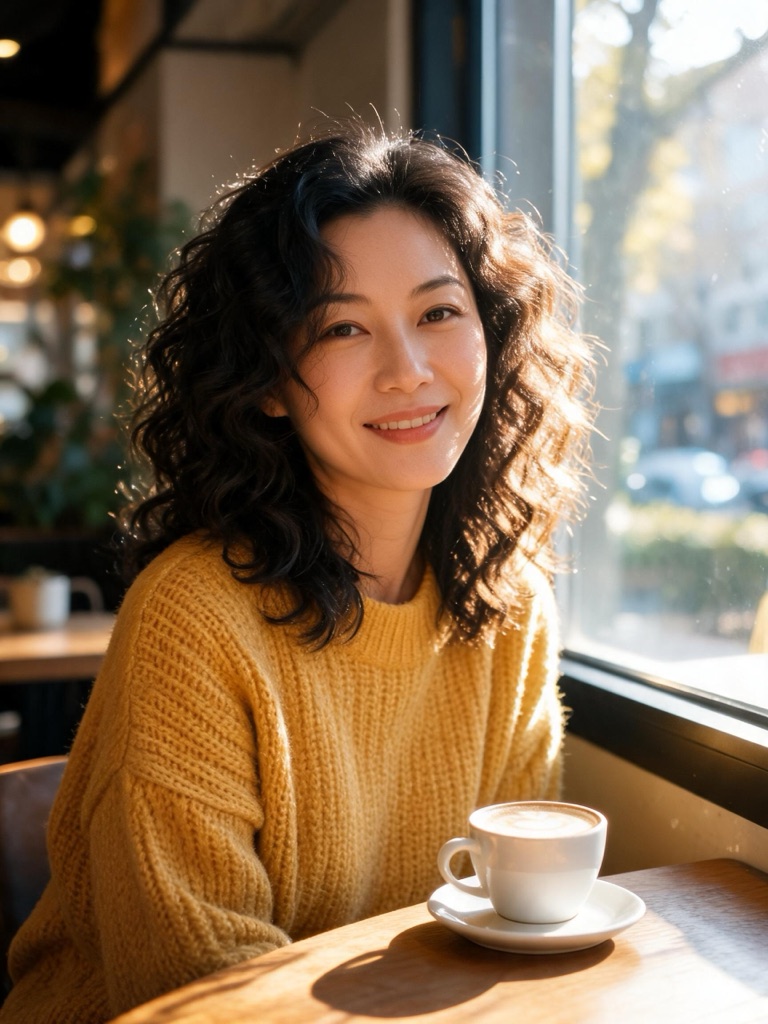
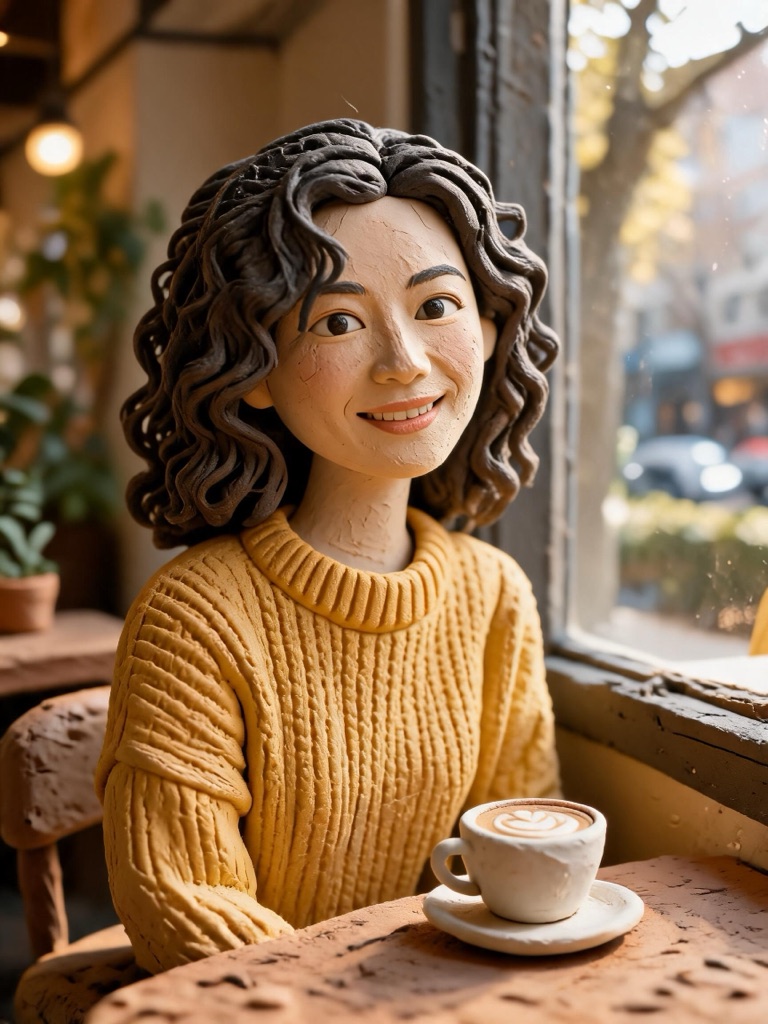
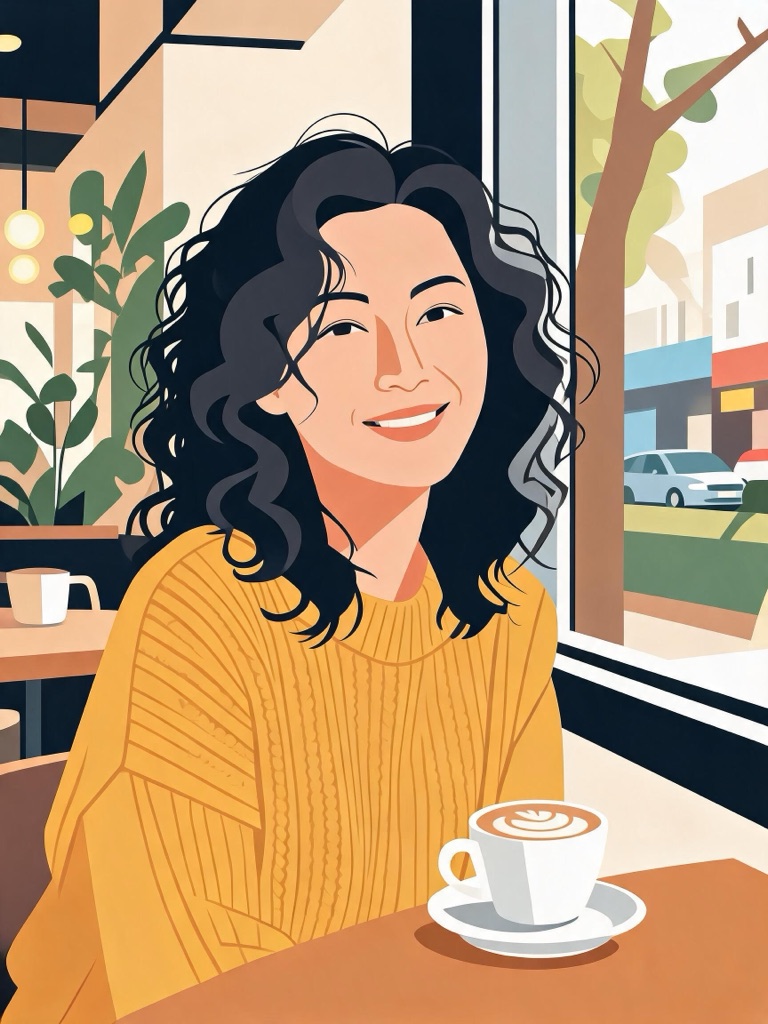
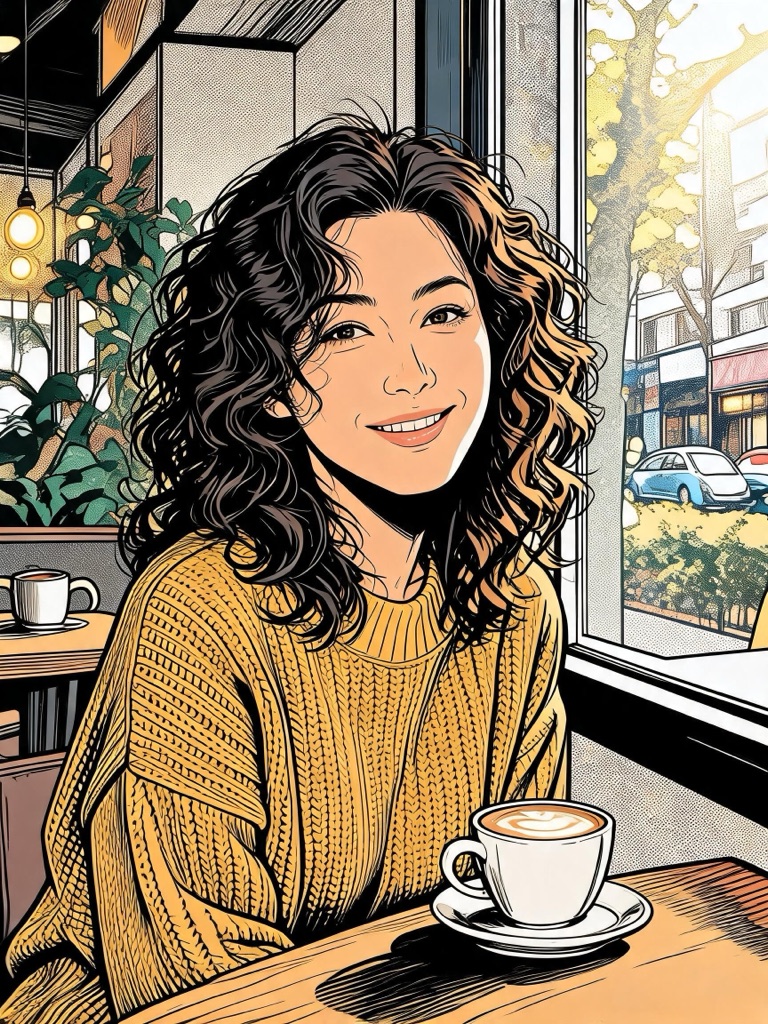
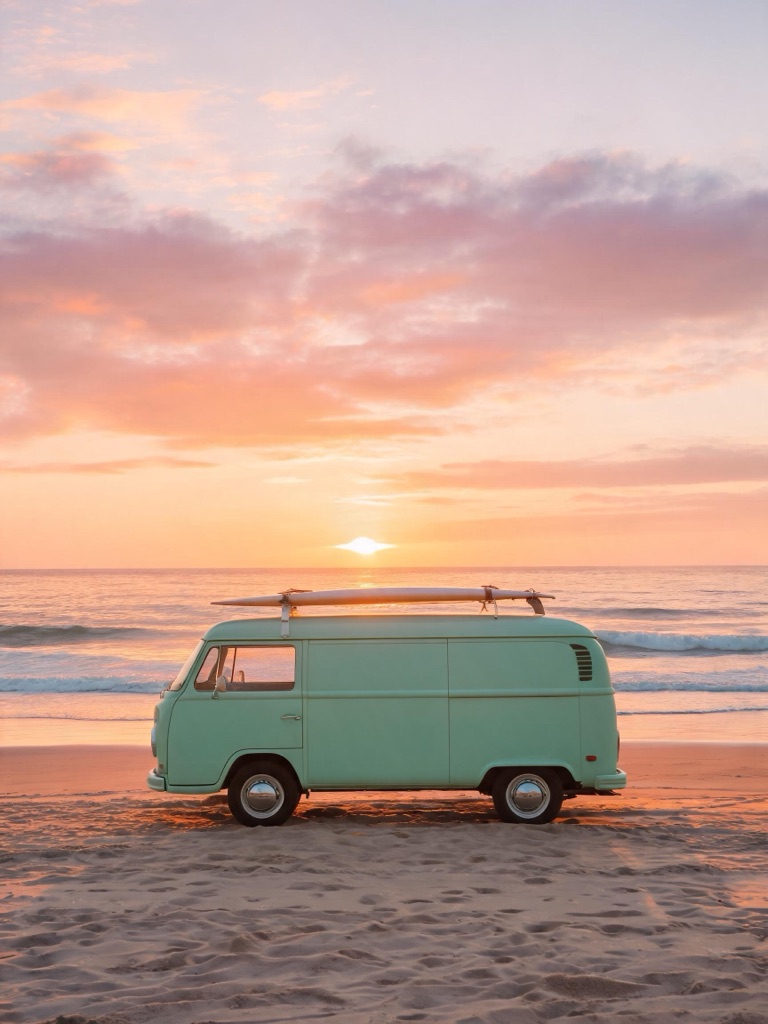
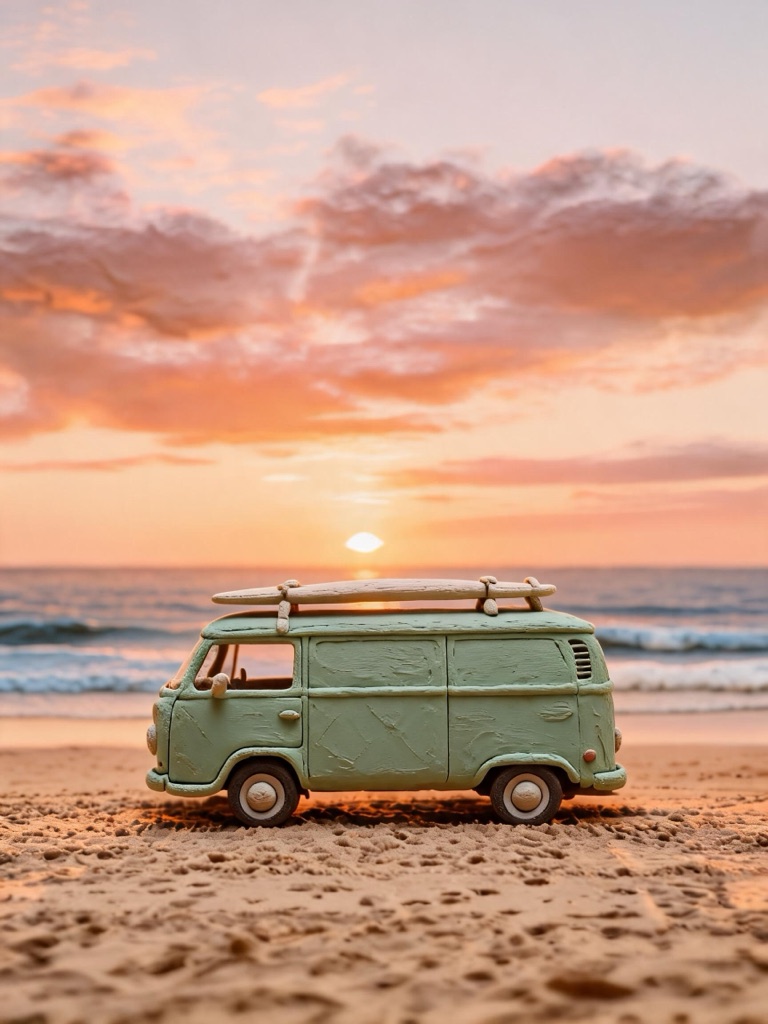
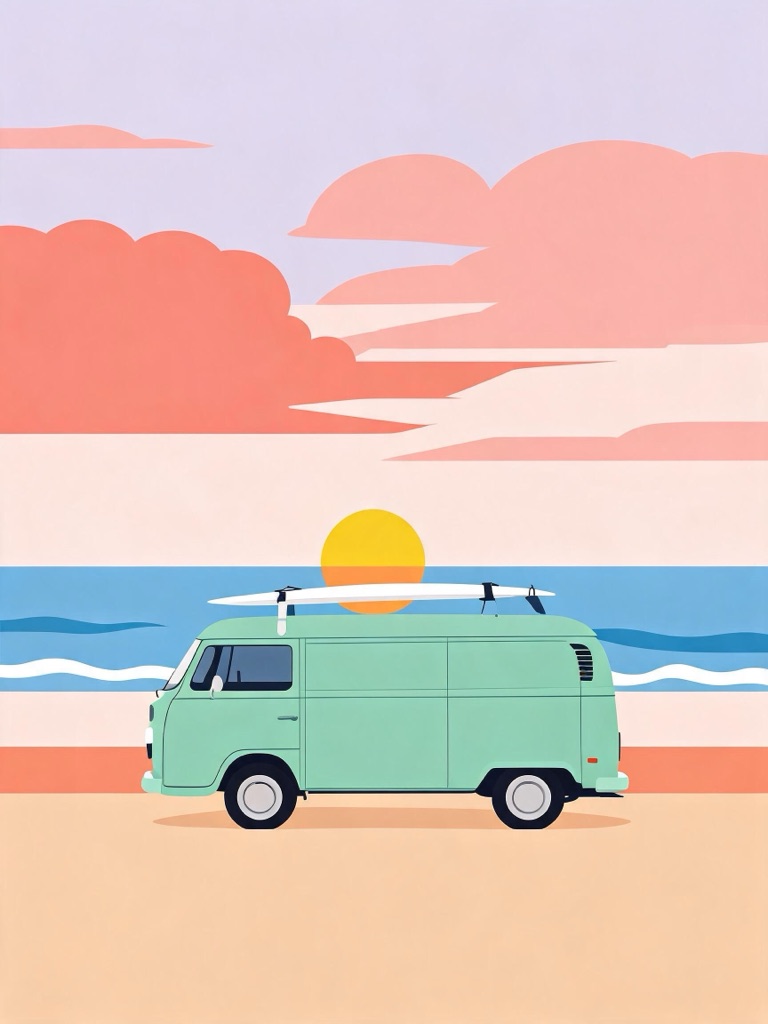
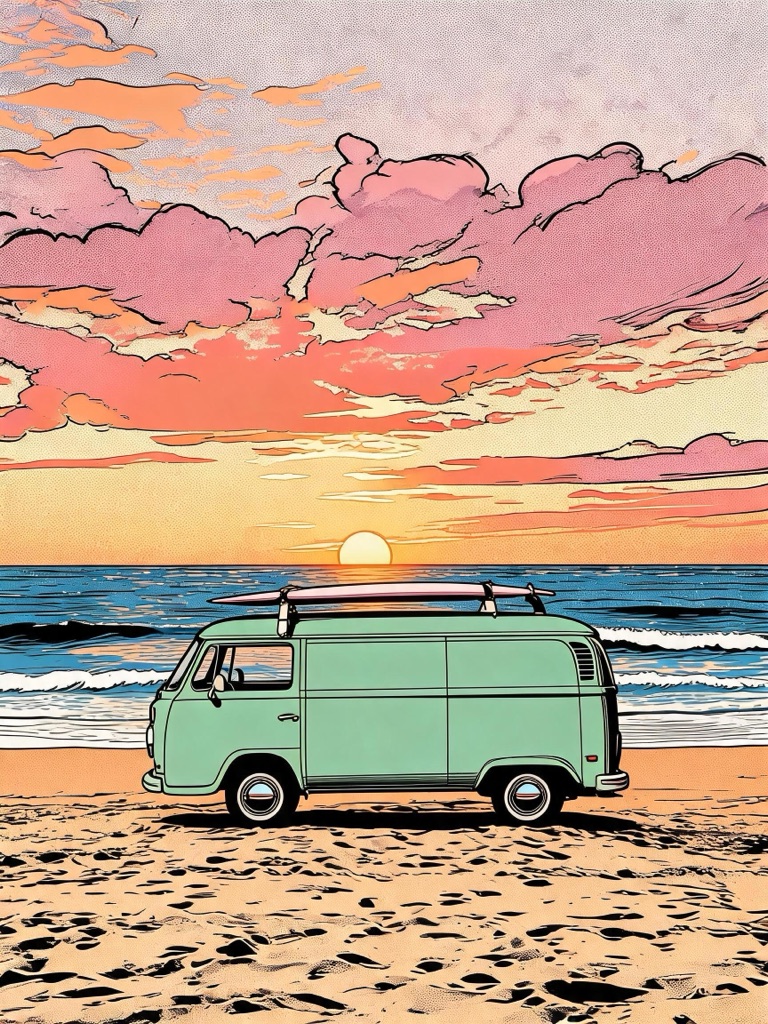
Pick a style
Each button opens the image studio in edit mode with the style prompt written. Add your photo and generate.
How to cartoon a photo
Choose a style
3D claymation for handmade warmth; flat vector for avatars and icons; comic ink for something bold.
Add your photo
The studio opens in edit mode. Add one clear photo — a single subject, evenly lit, nothing cropped at the top of the head.
Generate, then nudge
If the background is busy, add "plain pastel background" to the prompt. If the style is too strong or too faint, say so in a few words and run again.
Use it
Download it as a profile picture, upscale it for print, or cut it out to a transparent PNG and make it a sticker.
Which style for which job
Profile pictures and avatars: flat vector. It stays legible as a 40-pixel circle, which is how most people will see it. Cards and gifts: 3D claymation, which has the handmade warmth of a stop-motion film without borrowing anyone’s character. Posters, merch and thumbnails: comic ink, whose black lines hold up at any size and on any background. Stickers: any of them, followed by the cut-out in the AI sticker generator.
Photos, consent and labelling
Upload photos that are yours to use. A photo of anyone else needs that person’s consent, and photos of public figures are screened out before anything is generated — the Content & Safety Policy sets out what cannot be made here. The presets restyle a picture; they do not change who is in it, and they are written to keep the subject’s age exactly as it is in the photo.
Every result carries a signed C2PA provenance mark identifying it as AI-generated, in line with Article 50 of the EU AI Act, and anyone can read it back on the verification page.
Frequently asked questions
How do I turn a photo into a cartoon?
Pick one of the three styles on this page. The image studio opens in edit mode with the style prompt already written; add your photo, press Generate, and the model redraws the same picture in that style. Nothing else needs changing, though you can add a line such as "plain pastel background" if you want the setting simplified.
Will the cartoon still look like the person in the photo?
That is what the prompt is written for. Every style tells the model to keep the composition, pose and clothing, to add and remove nothing, and to keep a person's age, face shape, features, hairstyle, skin tone and expression unchanged — only the way it is drawn changes. Stronger styles such as flat vector simplify more, so they keep the likeness in broad strokes rather than in detail.
What kind of photo works best?
One subject, well lit, facing the camera or at a slight angle, with nothing cropped at the top of the head. Busy backgrounds are redrawn too, so a plain wall gives the cleanest result. Phone photos are fine; the model does not need a high-resolution original.
Can I cartoon my pet, my house or my car?
Yes. The same three styles work on animals, buildings, vehicles and products — anything with a clear shape. Pets in the claymation style and cars in the flat vector style are two of the most reliable combinations.
How much does it cost?
The presets run on Seedream 5.0 Lite at 1 credit per image. You can switch to any other model in the studio before generating; the price of whatever you choose is printed on the Generate button before you spend anything.
Can I use someone else's photo?
Only with their permission. Uploads must be yours to use, and a photo of another person needs that person's consent. Photos of public figures are screened out before generation, and the Content & Safety Policy lists what cannot be made here.
Can I make the cartoon into a sticker?
Yes. Take the cartoon into the AI sticker generator's cut-out tool and the background is removed to a transparent PNG for 1 credit. It is the quickest route to a sticker of your own pet or your own portrait.
Where to go next
One credit balance across image, video, music and the editing tools.
AI Sticker Generator
Cut a cartoon out to a transparent PNG sticker.
OpenAI Image Studio
The studio every cartoon preset opens in.
OpenAI Character Generator
Keep one cartoon character consistent across scenes.
OpenImage Upscaler
Enlarge a cartoon for a poster or canvas.
OpenImage to Video
Bring the cartoon to life as a short clip.
OpenVerify AI content
Read the C2PA provenance mark on any file.
OpenImage guides
See every ai images guide →
AI in marketing examples: practical ad creative workflows with AI images
Concrete AI in marketing examples: how teams use WowMade AI Image Generator to create compliant, high-performing ad images across the funnel, plus workflows and test plans.

AI thumbnail variants: a fast playbook to batch-generate and test YouTube thumbnails
Learn a practical playbook to batch-generate AI thumbnail variants, run fair A/B tests, and automate templates using the WowMade AI Image Generator.

How DTC Brands Replace Costly Studio Shoots with an AI Image Workflow
A practical workflow for DTC brands to replace studio shoots with repeatable AI ecommerce product images using prompt templates, restyles, and batch exports.

Scale consistent, clickable episode art with AI podcast art
How solo podcasters and small teams use AI podcast art to batch-create on-brand episode thumbnails, export platform-ready assets, and keep covers clickable.

Scale thumbnails and hero images with batch AI and restyle workflows
How creators scale thumbnail and hero-image variants with batch AI image generation and restyle workflows — feeding winners into video and ad pipelines.
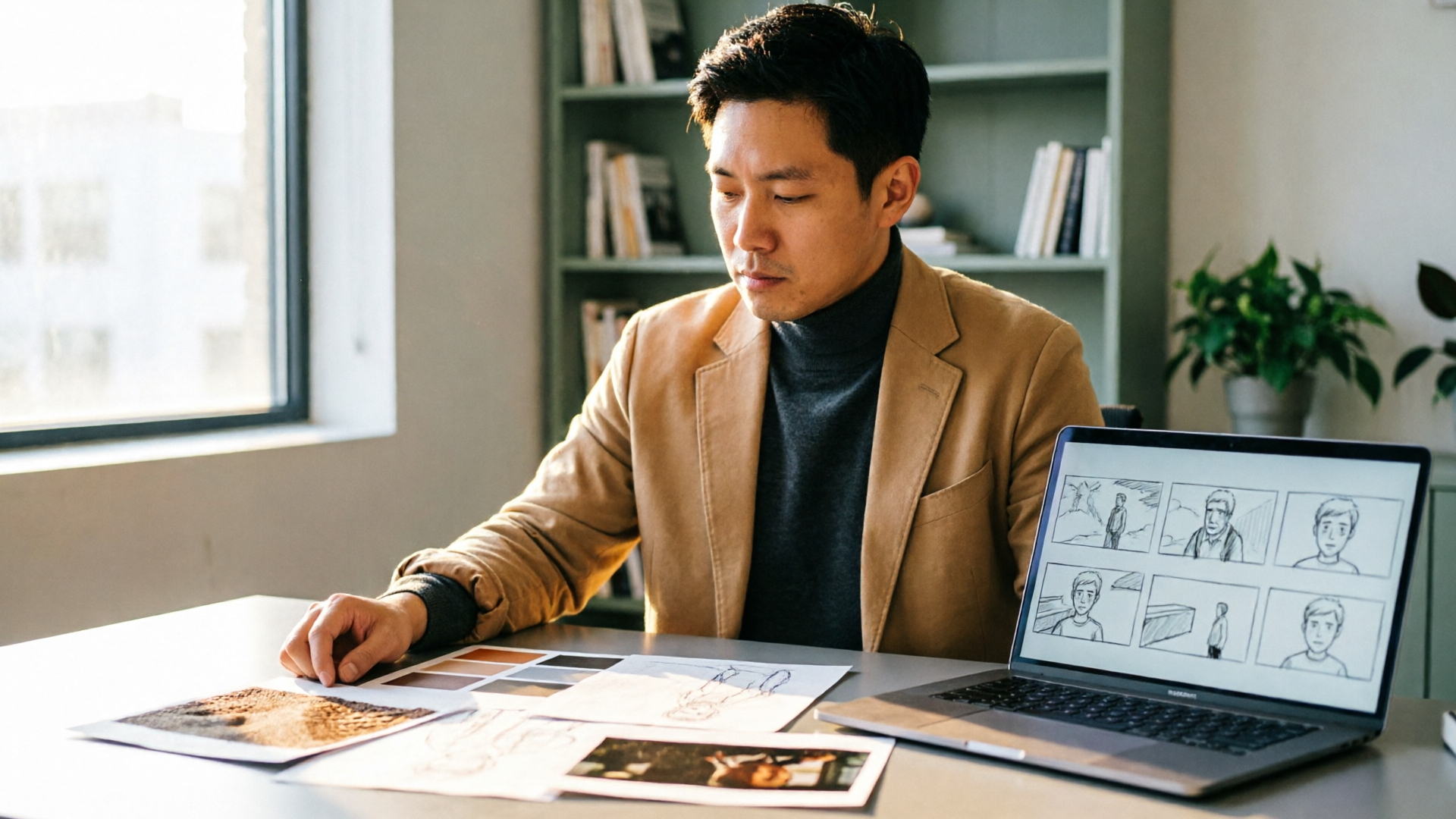
From Moodboard to Shot-Ready Frames: Fast AI Storyboards for Production
Turn moodboards and shot lists into consistent, production-ready AI storyboard frames. A practical workflow for creators using WowMade AI Image Generator.