
Included with any plan — no credits
AI Prompt Generator
Four words already make a good picture. They just do not make yours. The rewrite states the light, the lens and the mood you left the model to guess at.
Where it runs:

Rewriting costs no credits on any plan. Generating from the rewritten prompt uses credits, and the exact cost is shown on the Generate button before you commit. Plans renew monthly until cancelled and can be cancelled online at any time — see pricing details.


A thin prompt gives you a good picture. Just not yours.
It is worth being precise about what goes wrong, because the usual version of this pitch is not true any more. Type four words into a current model and you get a competent, attractive image — the examples below prove it, and we left them in rather than pick weaker ones. The problem is not quality.
The problem is that every decision you left open still had to be made, and the model made it: the most likely light, the most likely angle, the most likely time of day. Ask for a fox in the snow and you get bright daylight, side-on, tack sharp — the fox from every stock library there has ever been. Nothing is wrong with it. It is simply not the shot you were picturing, and there is no setting to nudge because you never said what the shot was.
The rewrite is about control, not quality. It keeps your subject and your intent and states the things you had in mind but did not type: where the light comes from and how hard it is, how far away the camera is and on what lens, what surfaces are made of, what the palette is, what the shot is supposed to feel like. It prefers physical description to adjectives, because “stunning” tells a model nothing and “backlit by a low winter sun” tells it where to put the highlights.
The same idea, twice
Each picture was generated from the exact text printed under it — the short one as typed, the long one as the rewrite returned it. Same model, same settings, nothing else changed. Both are good; only one of them was specified.
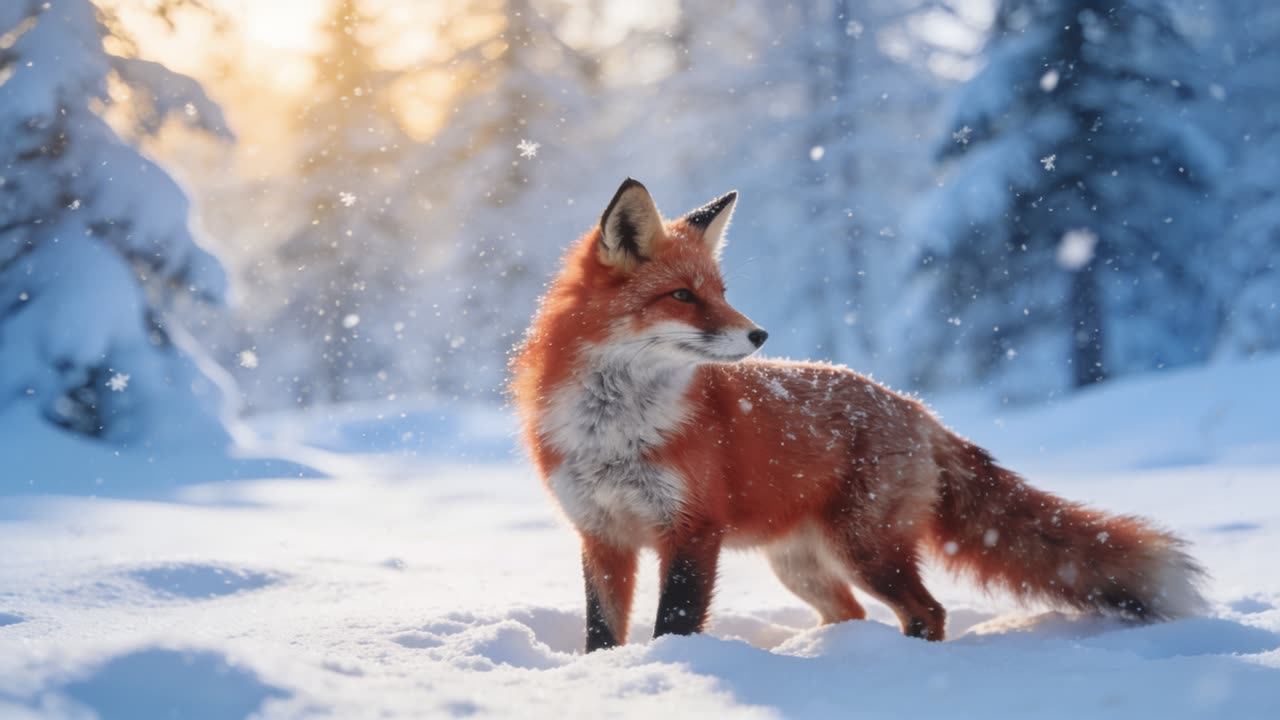
“a fox in the snow”
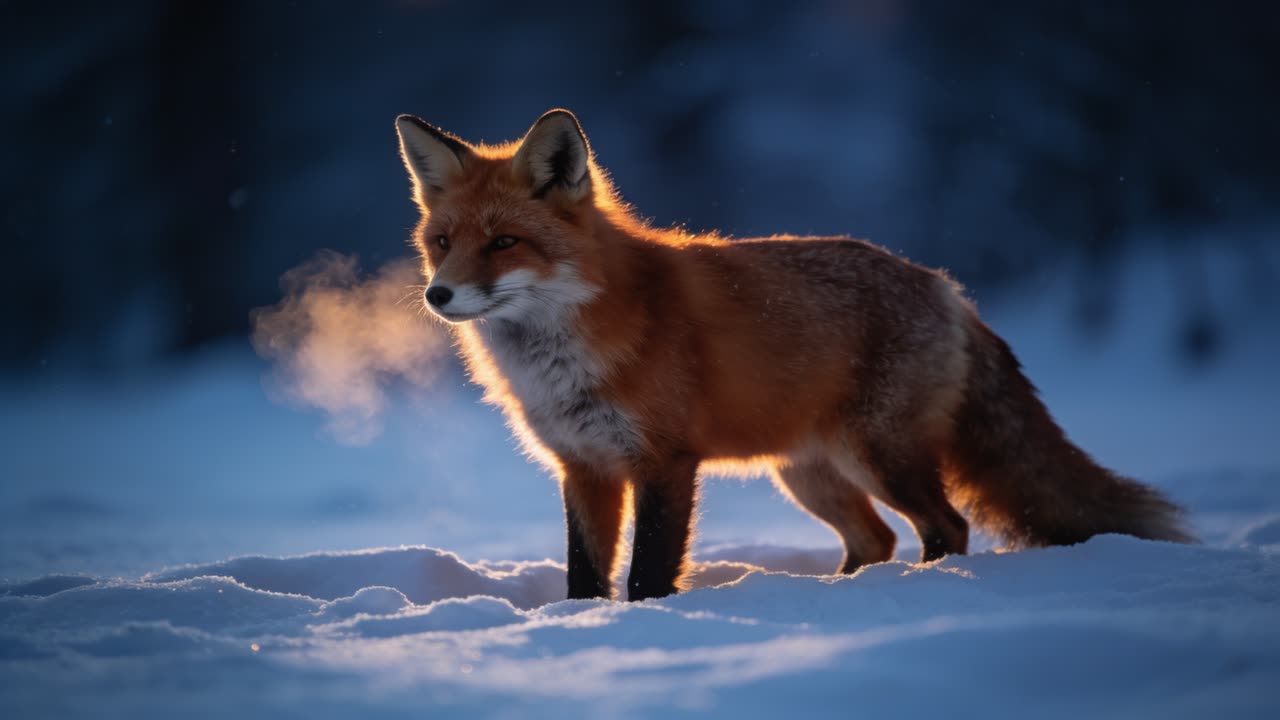
“a red fox standing alert in deep powder snow at blue hour, breath condensing, fur backlit by a low winter sun, shallow depth of field on a 200mm lens, muted blue and rust palette, still and watchful”
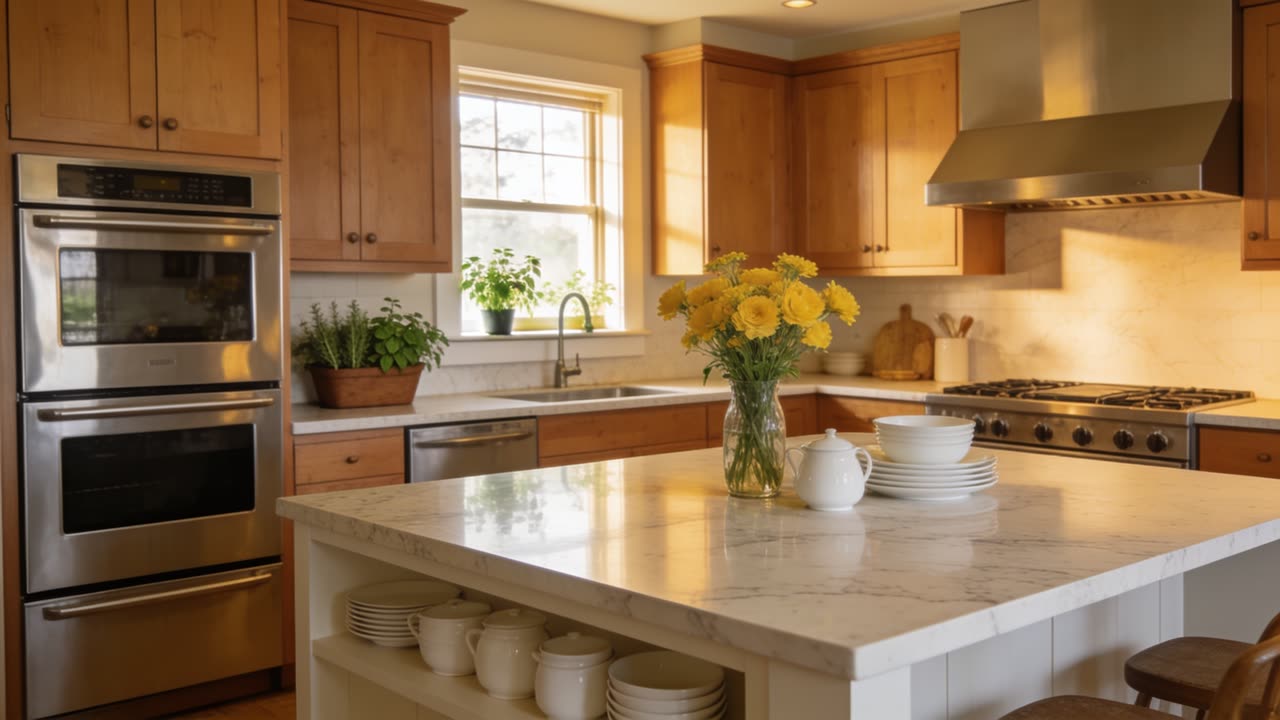
“a nice kitchen”
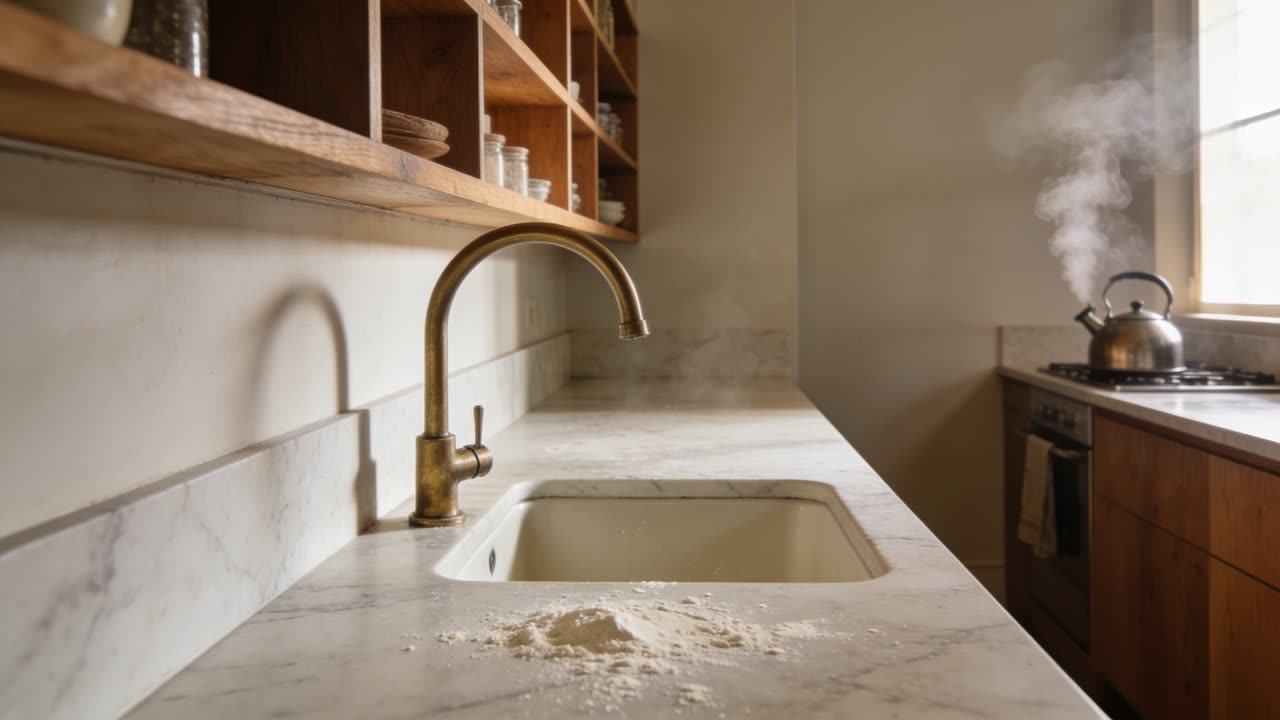
“a narrow galley kitchen in soft morning light, unlacquered brass tap over a deep fireclay sink, honed marble worktop with flour dust, open shelving in oiled oak, steam rising from a kettle, warm neutral palette, wide lens at counter height”
What the rewrite actually adds
| Decision | In a thin prompt | After the rewrite |
|---|---|---|
| Subject detail | “a fox” | Species, age, posture, coat condition, what it is doing |
| Light | unstated | Direction, hardness, colour temperature, time of day |
| Lens and distance | unstated | Focal length, camera height, depth of field |
| Composition | unstated | Where the subject sits in frame, what fills the rest |
| Material and texture | unstated | What surfaces are made of and how they catch light |
| Palette and mood | “nice” | Named colours and a stated feeling rather than an adjective |
None of these are quality settings. Every one of them is a decision that gets made either by you or by the model’s default. The rewrite will not add brand names, named people, or text to be rendered into the picture unless you asked for them — those are the three things a model gets wrong most expensively.
How it works
Type the rough version
Whatever you would have typed anyway, up to 1,500 characters. A half-formed line is a perfectly good input — it is the case the tool exists for.
Rewrite it
One click in the studio returns a single dense paragraph of about thirty to eighty words. The original stays in the box, so you can compare, take half of one and half of the other, or keep editing by hand.
Generate, then iterate on the text
Run it cheaply first — a low-resolution draft on a fast engine costs little. When something is nearly right, adjust the prompt rather than the settings; the prompt is where almost all of the control is.
Two modes, because generating and editing are different jobs
Generate mode
Returns a description of a picture: one flowing paragraph covering subject, material, light, lens, composition, palette and mood. This is what the text-to-image engines read best, and it is the mode the AI image generator uses by default.
Edit mode
Returns an instruction, not a description: twenty to sixty words in the imperative about what to change, and explicitly about what must stay as it is — subject, pose, framing. It preserves the way you referred to your inputs, so “put the bottle from image 1 onto the surface in image 2” survives the rewrite intact. This is the mode that matters when you are editing rather than starting over.
Prompts for video
Video prompts want different specifics — where the camera starts, how it moves, what changes across the seconds. The prompt studio writes for video as well as stills, and the text to video page covers how the video engines read a brief.
Everything you generate stays marked
A prompt is only text, but the files it produces are AI-generated and are marked as such. Every image, video and audio file WowMade stores carries a signed, time-stamped C2PA provenance manifest naming it as AI-generated and identifying the tool that produced it. The mark travels with the file when you download it, and anyone can read it back on the verification page.
Frequently asked questions
What people want to know before they trust a rewrite.
What does an AI prompt generator do?
It rewrites what you typed into what the model needed to know. Current models will make a perfectly good picture from four words — but every detail you did not state gets filled in with the most likely answer, which is the average of everything the model has seen. The rewrite keeps your subject and your intent and states the decisions you left open, so the result is the shot you had in mind rather than the default one.
Does rewriting a prompt cost credits?
No. The rewrite costs no credits on any plan. A weak first prompt is the most common reason a first generation disappoints, and charging for the fix would be charging twice for the same image. Only the generation itself draws on your balance.
Will it change what I actually asked for?
It sharpens rather than replaces. The rewrite is instructed to keep your subject and your intent and to add only the concrete decisions you omitted, and it will not invent brand names, named people or text to render into the image unless you asked for those. If a rewrite drifts, the original is still in the box and you can edit either version by hand.
Is there a different mode for editing an existing image?
Yes, and it matters. Generating wants a description of a picture; editing wants an instruction about what to change. The edit mode returns a short imperative — twenty to sixty words about what changes and, just as important, what must stay untouched — and it preserves references like image 1 and image 2 exactly as you wrote them.
Does it work for video prompts as well as images?
Yes. The prompt studio writes for video as well, where the useful additions are different: camera position and movement, the length of the take, how the light behaves over the shot. Both studios also suggest completions from prompts you have written before, so a phrasing that worked once is quick to reach again.
What languages does it work in?
The rewrite matches the language you wrote in, so a prompt typed in Spanish comes back as a Spanish prompt rather than an English translation. The generation models themselves read English most reliably, so for a difficult shot it is worth trying both.
How long can the input be?
Up to 1,500 characters go in, and the rewrite comes back as a single dense paragraph of roughly thirty to eighty words. Longer is not better: past a point the model starts averaging instructions rather than following them, which is why the output is capped at a paragraph rather than an essay.
Is anything I generate marked as AI-generated?
Yes. Prompts are just text, but everything generated from them is marked: every image, video and audio file WowMade produces carries a signed C2PA provenance manifest identifying it as AI-generated and naming the tool that made it, in line with Article 50 of the EU AI Act. Anyone can read that mark back on the verification page.
Where a good prompt goes next
The rewrite is one step. These are the studios it feeds.
A good picture, or the one you meant.
Rewrite a promptThe rewrite costs no credits on any plan. Plans start at $25 a month, renew monthly until cancelled and can be cancelled online at any time — see pricing details.