Your picture, only sharper.
AI Image Upscaler
Upscale any image to 2K, 4K or 8K. Faithful mode keeps faces, products and line art exactly as they are and rebuilds the fine detail. You see the output size before you run it, and a before-and-after slider with zoom when it's done.
Faithful: 1 credit at 2K, 2 at 4K, 3 at 8K. Creative: 2. Failed runs are refunded. Plans renew monthly until cancelled and can be cancelled online at any time — see pricing details.
Faithful keeps your picture as it is and rebuilds fine detail. It can't recover what the original never captured.
Before and after
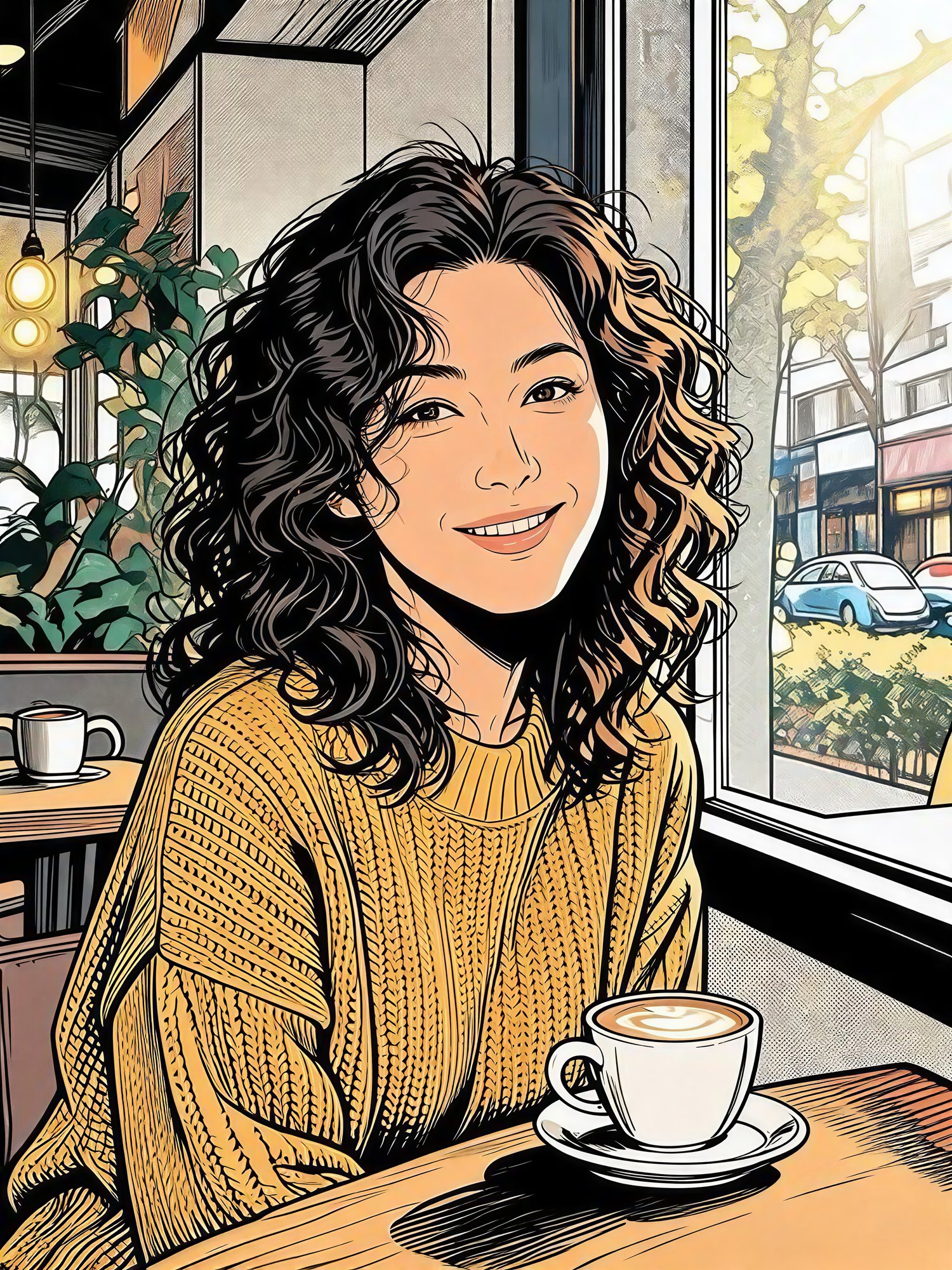
AI images shrunk on purpose, then upscaled by this tool in Faithful mode. The left half of each frame is the before.
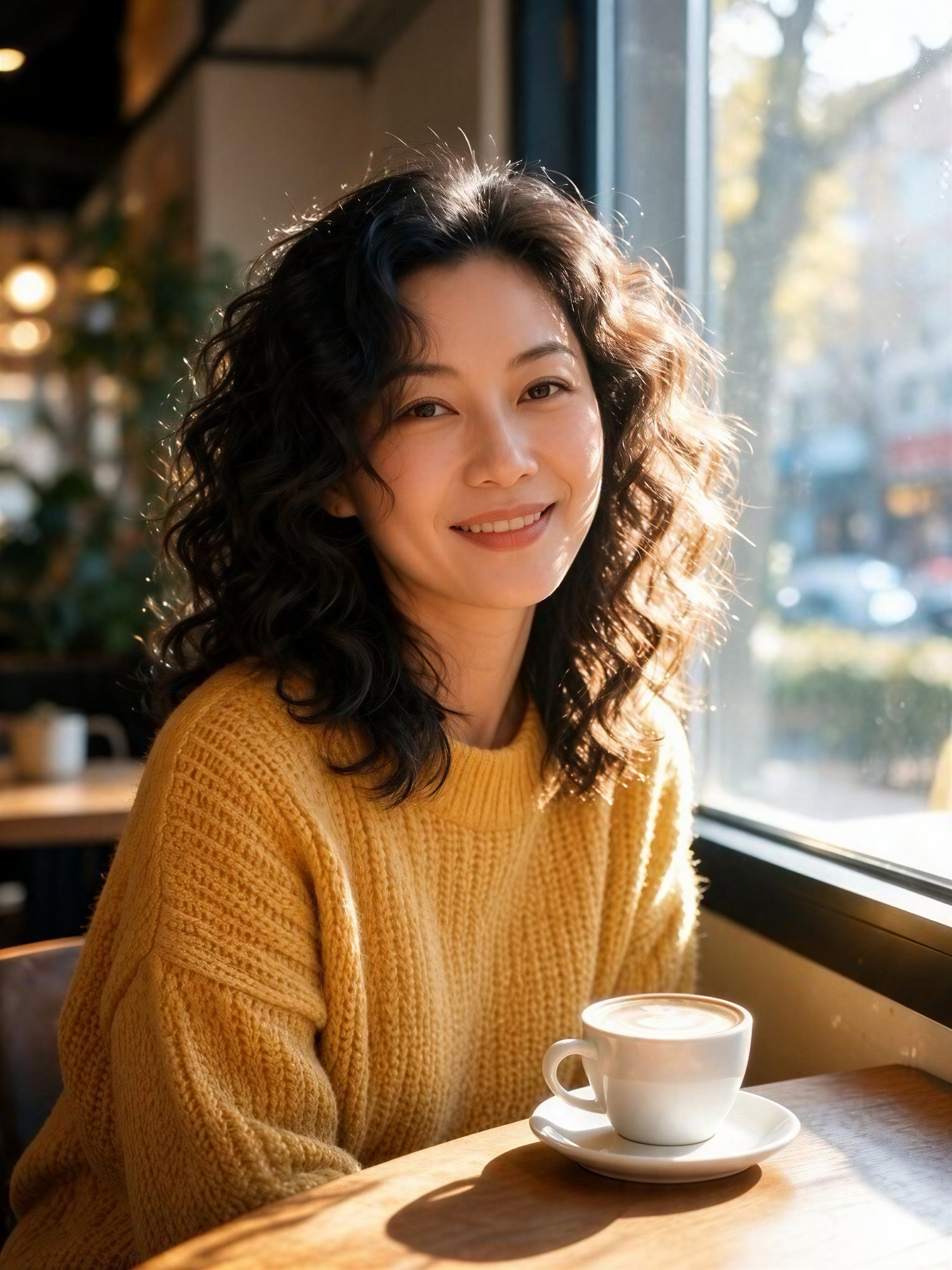
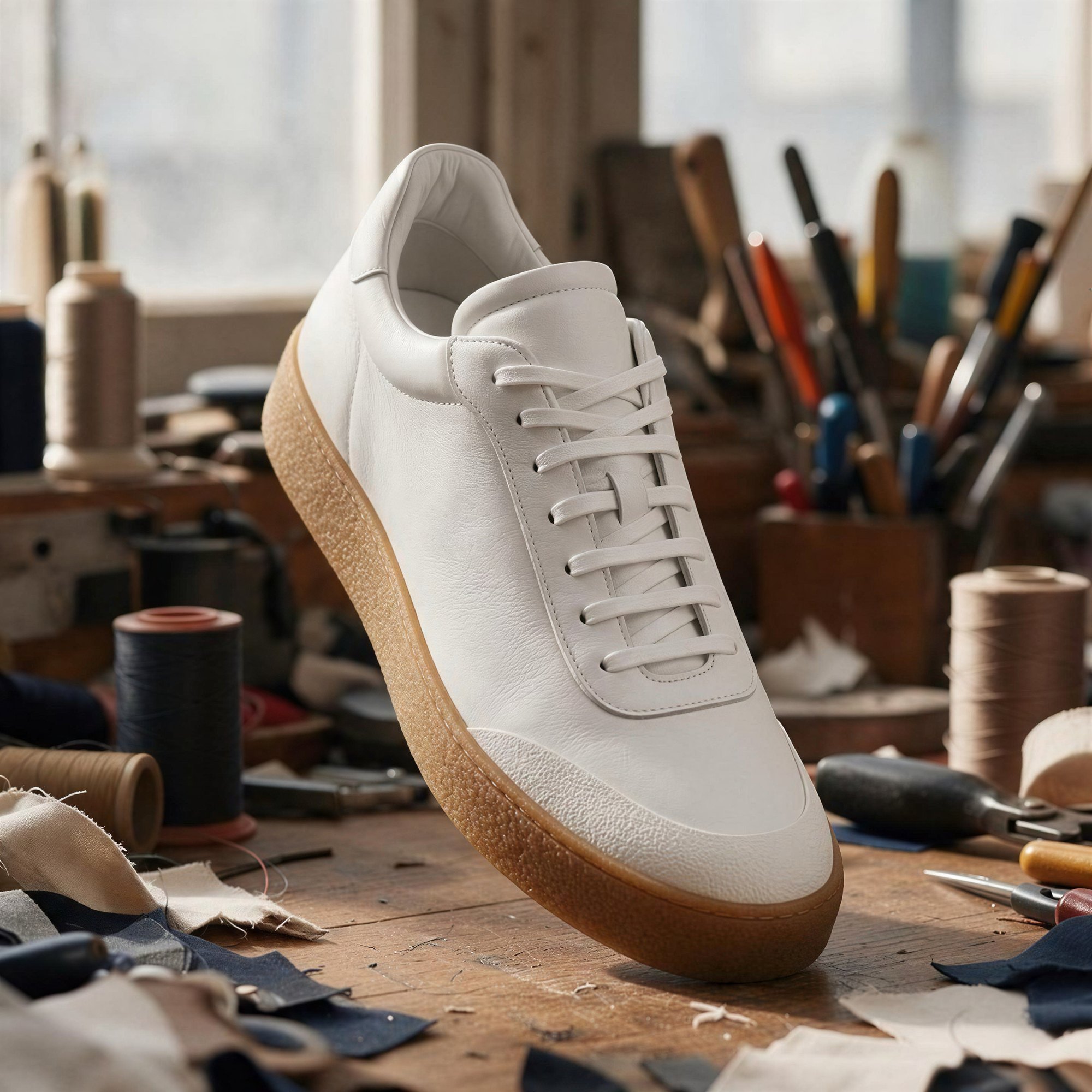
Faithful or Creative
| Mode | 1024×1024 becomes | Best for | Cost |
|---|---|---|---|
| Faithful upscale · 2K | 2048×2048 | Web, social, quick fixes | 1 credit |
| Faithful upscale · 4K | 4096×4096 | People, products, logos, line art | 2 credits |
| Faithful upscale · 8K | 8192×8192 | Large prints, posters, crops | 3 credits |
| Creative upscale | 2000×2000 | Painterly art and scenery | 2 credits |
A plain resize stretches the pixels you have, so edges go soft and blocky. An AI upscaler redraws the image at the higher resolution. The question is how much it is allowed to redraw: Faithful keeps the subject and only restores detail, Creative is free to invent. Many upscalers lean creative, which is how a portrait ends up with a different face, so Faithful is the default here.
What size will I get?
| Your image | 2K | 4K | 8K |
|---|---|---|---|
| 512×512 | 2048×2048 | 4096×4096 | 8192×8192 |
| 1024×1024 | 2048×2048 | 4096×4096 | 8192×8192 |
| 1280×720 | 2731×1536 | 5461×3072 | 10923×6144 |
| 1080×1350 | 1832×2290 | 3664×4579 | 7327×9159 |
Faithful mode, approximate output, aspect ratio kept
The tool prints the exact figure for your own image on each size before you choose, and the real size of the file once it's done.
Upscale an image in three steps
Add the image
Click to upload, drag it onto the tool, or paste it. Images from My Creations work too — each one has an Upscale button.
Pick a mode and size
Faithful at 2K, 4K or 8K for almost everything; Creative for painterly art. Output size and price show before anything runs.
Compare up close, download
Drag the slider between before and after, switch on the 3× zoom to check detail, then download. It's saved to My Creations as well.
Made an image here? Finish it here
Generate in the image studio at the standard size, pick the one you like, then upscale only that one for print, a wallpaper or a large banner. To bring it to life afterwards, the result opens straight in the image-to-video tool.
Rights and labelling
Upscale images you own or have the rights to edit. Every result carries a signed C2PA provenance mark recording that it was edited with AI, in line with Article 50 of the EU AI Act. Anyone can read the mark on the verification page; the Content & Safety Policy sets out what may not be created. Plans renew monthly until cancelled and can be cancelled online at any time; the full terms are on pricing details.
Frequently asked questions
How do I upscale an image?
Drop the image onto the tool at the top of this page, paste it, or pick one from My Creations. Choose Faithful and a size — 2K, 4K or 8K — and the tool shows the exact pixels you'll get and the price. Run it, compare before and after with the slider and the 3× zoom, and download.
What's the difference between Faithful and Creative?
Faithful keeps your picture as it is — the same face, the same product, the same drawing — and rebuilds fine detail such as lashes, leather grain and line edges. It's the right choice for almost everything. Creative (2 credits, up to 4 MP) invents new detail on purpose, which can suit painterly art and scenery, but it can change faces and redraw lettering, and the tool says so before you run it.
Can it upscale to 4K or 8K?
Yes. Faithful's 4K option targets about 17 megapixels — a 1024×1024 image comes out at 4096×4096 — and 8K about 67 megapixels, 8192×8192 for the same image. The aspect ratio is kept, so the exact size depends on your image; the tool shows it before you run.
Will it change the person in my photo?
Faithful is built not to. In our own tests it kept the same face, expression and age on a small portrait while sharpening eyes and hair — something many creative upscalers fail at. Creative can change faces, which is why it's the second option and carries a warning.
How much does it cost?
Faithful costs 1 credit at 2K, 2 at 4K and 3 at 8K. Creative costs 2. The price is on the button before you run, and a failed run is refunded automatically.
Is the upscaled image labelled as AI?
Yes. Every result carries a signed C2PA provenance mark recording that it was edited with AI — the detail added at the higher resolution is AI-generated, not recorded. Anyone can read the mark on the verification page. Upscale only images you own or have the rights to edit.
For a specific job
The same upscaler, set up for one kind of image.
AI Photo Enhancer
Sharper, cleaner everyday photos.
OpenUnblur Image
Soft or slightly blurred shots.
OpenAI Image Enlarger
Sizes for print and posters.
OpenAnime Upscaler
Line art and illustration.
OpenVideo Upscaler
The same, for video — 1080p or 4K.
OpenVerify AI content
Read the C2PA provenance mark on any file.
Open