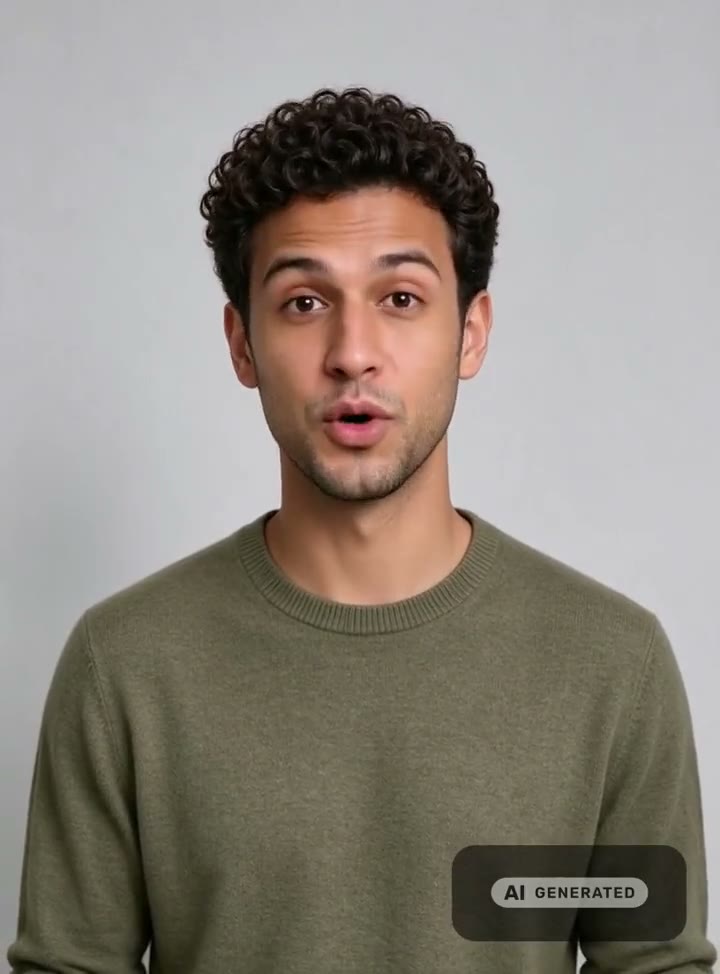
One photo of you. Any script. Lips in sync.
AI Talking Photo
Upload a front-facing photo of yourself, type what you want to say, and get a lip-synced talking video in 15 languages — animated on Seedance 2.5, with consent built in and an AI-generated label on every frame.


A 10-second talking photo is 10 credits on Standard or 69 on Studio at 720p; the exact price is on the button before you commit. Plans renew monthly until cancelled and can be cancelled online at any time — see pricing details.
From a still to a speaking video
The portrait on the left is the only image the model was given. Tap Play with sound on the right to hear what it made.
 The photo
Make your photo talk in three steps
Upload the photo
One adult, facing the camera, in an original photo. Say whether it is you or someone who gave you permission, and confirm the consent statement.
Write and hear the script
Up to 1,200 characters in any of 15 languages. Pick a voice, a tone and a pace, then press Listen first to hear the exact read.
Generate
Choose Studio or Standard and 480p or 720p. The talking video lands in your workspace with its AI-generated label.
The photo that animates best
Face the camera. Head and shoulders, eyes toward the lens, the face filling a good part of the frame. Profiles and strong angles give the model less of the mouth to work with.
Light it evenly, keep the mouth clear. Soft window light beats a hard flash; a relaxed, closed mouth animates more naturally than a wide smile. Keep hands, hair and anything else away from the lips and jaw.
Use the original. The check reads the photo itself: a screenshot, a photo of a screen or a print, or a group shot is declined before anything is generated, and so is a public figure. If a check cannot complete, the run is blocked and you are asked to try again rather than let an unchecked face through.
The consent you confirm
Before a photo can speak, you say whether it shows you or someone who gave you permission, and you confirm this statement. It is stored, word for word, with the video:
I am the person in this photo, or I have their explicit permission to make an AI-generated video of them saying this script. I won't use it to mislead anyone about what a real person said or did. The video will carry a visible AI-generated label and a C2PA mark.
Every video generated here carries a signed C2PA provenance mark identifying it as AI-generated, in line with Article 50 of the EU AI Act, and videos made from a photo also carry a visible label. Anyone can read the mark back on the verification page, and the Content & Safety Policy sets out what may not be created. Plans renew monthly until cancelled and can be cancelled online at any time; the full terms are on pricing details.
Frequently asked questions
How do I make a photo talk?
Open the talking studio on My own photo, upload a clear, front-facing photo, and confirm who is in it. Type the script, pick a voice and a language, press Listen first to hear the read, then generate. The face is animated to the speech — lips, jaw, blinks and head movement — and the video lands in your workspace.
Whose photo can I use?
Your own, or one of an adult who has given you permission to make a video of them saying your script. You confirm which before generating, and that statement is stored with the video. Public figures are declined, and the check blocks any photo that appears to show someone under 18.
Can I make an old family photo talk?
Only when the person in it is you, or an adult who gives you permission now. The consent statement is a promise that the person agreed to the words they will be seen saying, so a photo of someone who cannot give that permission, including archive and historical photos, cannot be animated here.
What makes a good photo for a talking video?
One person, facing the camera, head and shoulders in frame, with even light and nothing covering the mouth. A relaxed, closed mouth animates most naturally. Original camera photos work; screenshots, photos of a screen, magazine or poster, and group shots are declined.
Can the photo talk in my own voice?
No. The script is read by one of 10 preset voices, with five tones and three paces to shape the read. WowMade does not reproduce a particular person's voice, from a recording or otherwise, so a talking photo never sounds like someone it is not.
Why does my talking photo have an AI-generated label?
Because a video of a real face saying scripted words should never be mistaken for a recording. Every video made from a photo carries a visible AI-generated label in the frame, and a signed C2PA provenance mark in the file that anyone can check on the verification page.
How much does a talking photo cost?
Studio quality on Seedance 2.5 is 69 credits for 10 seconds of speech at 720p, or 35 at 480p, with a 4-second minimum. Standard on InfiniteTalk is 10 credits for 10 seconds at 720p. Listening first costs 1–2 credits, prices are on the button before you generate, and failed videos never cost credits.
More from one photo
One credit balance across video, image, music and the editing tools.
Talking Avatar Generator
The studio, opened on your photo.
OpenSinging Video Generator
The same photo sings 15 seconds of a song.
OpenAI Avatar Generator
No photo? 12 AI presenters instead.
OpenPhoto to Cartoon
Your photo as an illustrated portrait.
OpenAI Lip Sync
Talking and singing lip sync, compared.
OpenAI Video Studio
Extend, edit or upscale the finished clip.
OpenVerify AI content
Read the C2PA provenance mark on any file.
Open