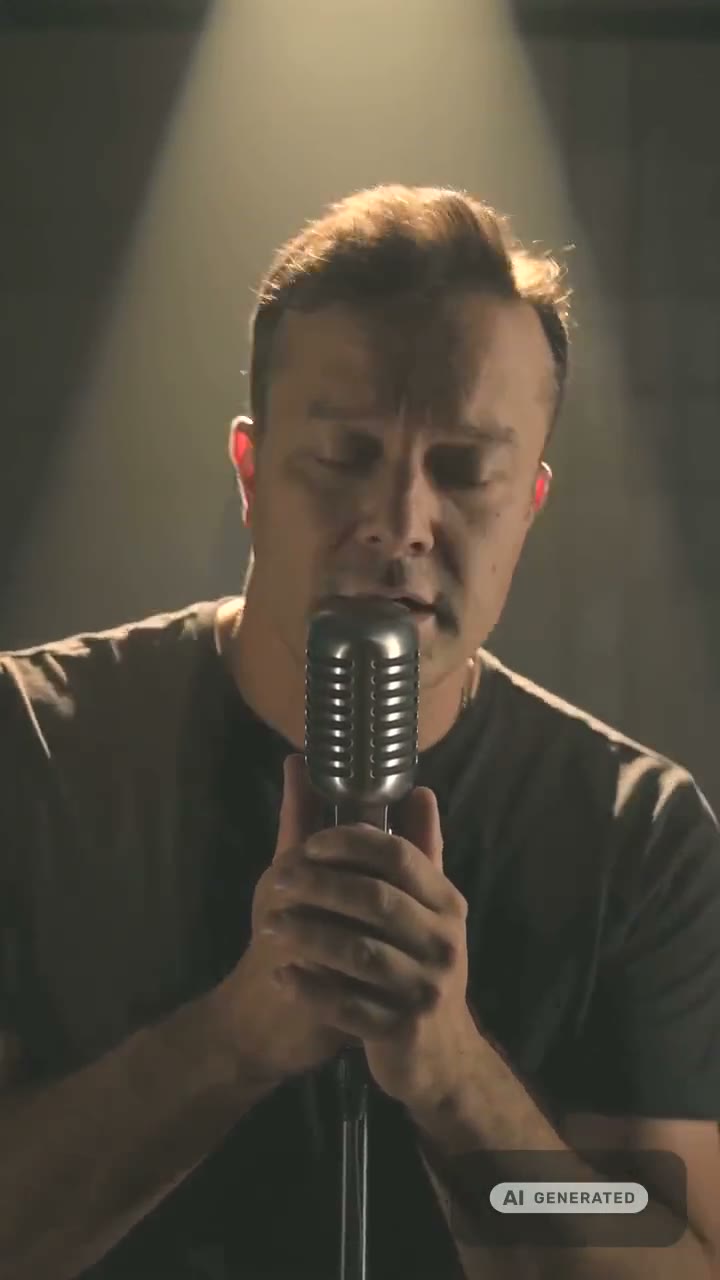
Performance, visuals, loops — the whole release.
AI Music Video Generator
A singer lip-syncing your chorus, scenes that match the song’s mood, a vertical loop for streaming and an animated cover — every shot a release needs, joined into one cut.
Shots made in WowMade's studios:
A 15-second performance clip is 60 credits at 720p; every price is on the button before you commit. Plans renew monthly until cancelled and can be cancelled online at any time — see pricing details.
The performance, with the sound on
A singer made from one selfie, with the person's permission, performing a 15-second window of a song. Tap Play with sound.
Build a music video in four moves
The song
Bring your track, or write one in the music studio — it comes with cover art to build the look from.
Music studio →The performance
Pick the chorus and the singer. Make two or three windows from different parts of the song.
Singing studio →The visuals
Scenes from the song’s world, a canvas loop, the cover brought to life — same palette words in every prompt.
Video studio →The cut
Join up to ten clips in order, then lay the full track under the cut in your editor.
Video merger →
Every shot type, and where it comes from
| Shot | What it is | Length | Made in |
|---|---|---|---|
| Performance | Singer lip-syncs your song | 5/10/15 s | Singing studio |
| Mood b-roll | Scenes from the song's world | 5–30 s | Video studio |
| Canvas loop | Vertical loop behind the track | 5–8 s, 9:16 | Image to video |
| Animated cover | The cover art, brought to life | 5 s | Image to video |
| The cut | Up to ten clips joined | One MP4 | Video merger |
Performance clips carry their own window of the song, so a chorus shot plays the chorus. Visual clips from the video studio are silent or carry their own generated sound; that is why the last step — the full track under the whole cut — happens in your editor, where you can also trim each shot to the beat.
Visuals to cut between the performance
Clips from the video studio, each with the prompt that made it. Use one as a starting point for your song's world.
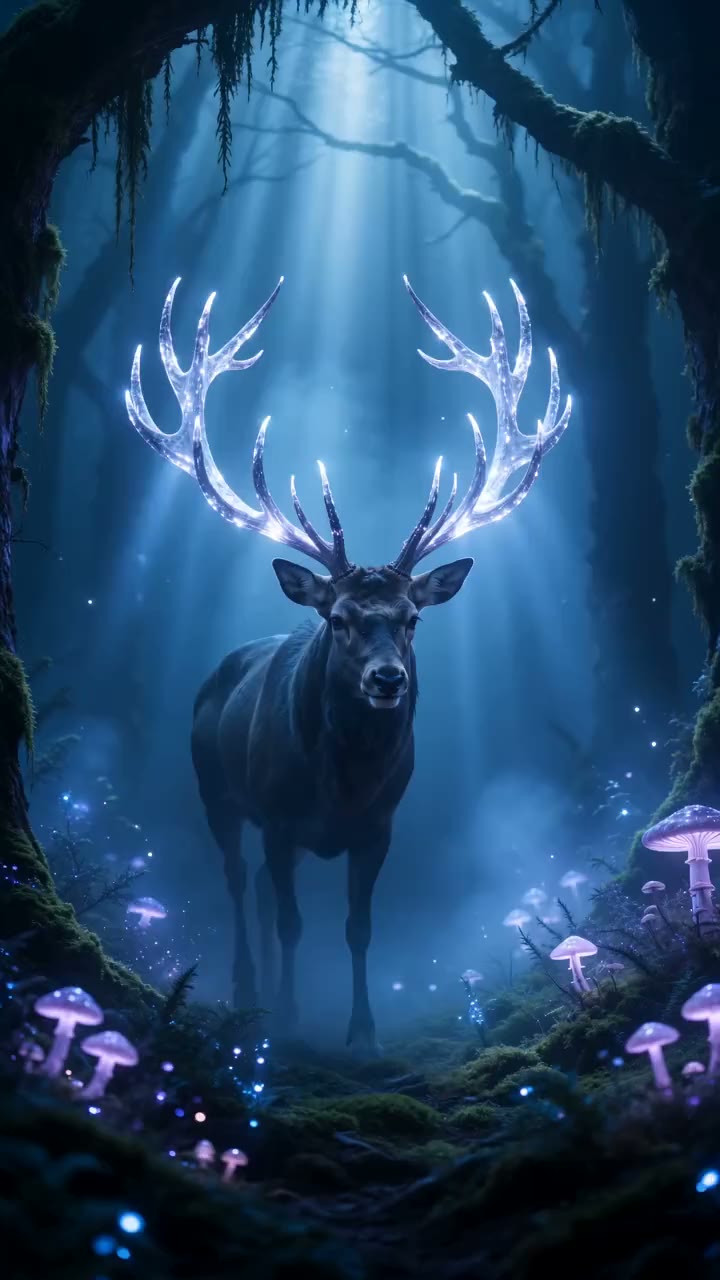
a glowing stag in a bioluminescent forest
Use this promptaurora over a mountain lake
Use this promptink blooming in water
Use this prompthundreds of paper lanterns rising over a midnight lake, reflections shimmering on still water
Use this promptmacro slow motion of iridescent paint swirling into liquid gold
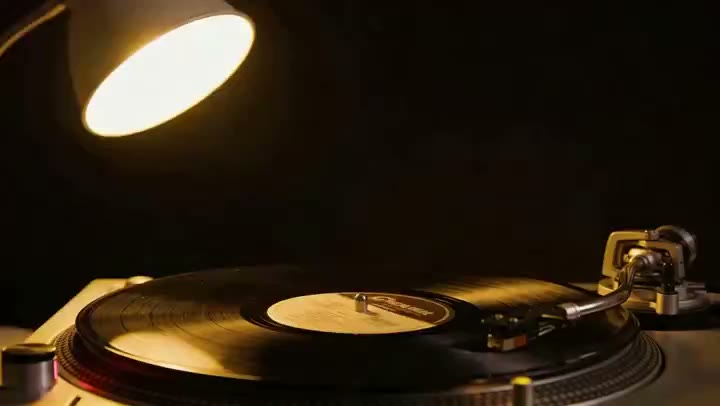
Use this prompta black vinyl record turning under a single warm studio lamp, a ribbon of light rippling across its grooves
Use this promptMaking it look like one video
One palette, every prompt. Pick three or four words — “teal and amber, fog, 35mm grain” — and put them in every visual prompt. Consistency is what turns clips into a video.
One singer, every clip. Save the singer as a character in the AI character generator and pick it in the singing studio for every window, so the face holds from verse to chorus.
Start from the cover. The album cover is the release’s look in one frame. Animate it for the opening shot with image to video, and the rest of the video has a reference to match.
Rights, consent and labelling
Use a song you have the rights to publish — your own, or one you generated. A real person’s face needs that person’s permission; photos of public figures are declined. Every clip carries a signed C2PA provenance mark identifying it as AI-generated, in line with Article 50 of the EU AI Act; anyone can read it on the verification page, and the Content & Safety Policy sets out what may not be created. Plans renew monthly until cancelled and can be cancelled online at any time; the full terms are on pricing details.
Frequently asked questions
Can WowMade turn a whole song into a music video in one click?
Not in one click. A music video here is built from shots: performance clips where a singer lip-syncs up to 15 seconds of your song, visual clips generated to the song's mood, and a merge that joins up to ten of them. Laying the full-length track under the finished cut is the one step you do in your editor.
How does the performance part work?
In the singing studio you pick the song — your upload, one you generated, or the library — choose the 5, 10, 15-second window, and choose the singer: your photo, a described singer, or a saved character. Seedance 2.0 renders the performance with the mouth timed to the vocal, at 720p or 1080p in 9:16, 16:9 or 1:1.
Do I need to be in the video?
No. Describe the singer in words, with outfit, scene and style references if you like, or use a character you saved in the AI character generator so the same face appears in every clip. If you use your own photo, it must be you or an adult who gave you permission.
How do I make visuals that match the song?
Generate them in the video studio from the song's own description — the same words you gave the music studio work as a visual brief. Animate the cover art with image to video for a loop, and use the same palette words in every prompt so the clips cut together.
What is a canvas loop and can I make one?
A canvas loop is the short vertical video streaming apps play behind a track instead of the still cover. Animate your cover or a mood shot in the video studio at 9:16 for five to eight seconds; a slow camera move or a drifting texture loops best.
What does a music video cost?
A 15-second performance clip is 60 credits at 720p or 80 at 1080p; shorter windows cost less. Visual clips are priced per engine and shown on the Generate button, a song is 3 credits if you make it here, and failed generations are refunded.
Is the video labelled as AI-generated?
Yes. Every clip carries a signed C2PA provenance mark identifying it as AI-generated, readable on the verification page. Several platforms read the mark on upload; keep it when you publish.
The release toolkit
One credit balance across music, video and image.
Singing Video Generator
The performance clips.
OpenAI Video Studio
B-roll and scenes for the song.
OpenImage to Video
Animated covers and canvas loops.
OpenVideo Merger
Up to ten clips, one file.
OpenAlbum Cover Maker
The look of the release in one frame.
OpenLyric Video Maker
Backdrops and the lyric-video workflow.
OpenVerify AI content
Read the C2PA provenance mark on any file.
Open