Scale high-CTR thumbnails with rapid AI image remixing
Use rapid AI image remixing to create on-brand thumbnail variations, run fast A/B tests, and lift CTR — a practical workflow using WowMade AI Image Generator.

Picture this: you publish a video and watch impressions climb, but clicks lag — a single thumbnail swap could double the traffic in days. The thumbnail is the video’s ad; tiny visual tweaks compound through recommendation algorithms and move views. This article shows creators and marketers a practical, repeatable workflow to generate large sets of on-brand thumbnail variants and run fast A/B tests using an AI thumbnail generator. We’ll cover why thumbnails still drive discovery, which visual variables move CTR most, a compact design checklist for legibility at phone sizes, and two step-by-step workflows: one to produce 10 thumbnail variations fast with AI image remixing, and another to run rapid experiments and analyze winners.
Throughout the piece I’ll demonstrate how the WowMade AI Image Generator can be the workhorse for this process: it generates images from prompts, edits and restyles uploaded photos, exports the aspect ratios platforms need, and saves variations so you can iterate. Expect concrete prompts, a short walkthrough using WowMade AI Image Generator, example test setups, and guidelines on staying brand-safe while you experiment.
Why thumbnails still control view velocity: the data behind CTR and discovery
Thumbnails function as the thumbnail — literally the first, smallest ad a viewer sees. Platforms like YouTube treat thumbnails as the primary creative hook that determines whether an impression converts to a click, and recommendation systems amplify early CTR signals. That means small percentage gains in CTR compound: a 1–2 point CTR lift on an early test can cascade into more impressions and faster organic growth.
Multiple industry analyses and platform guides underline this effect: YouTube’s creator guidance and third‑party testing firms emphasize testing thumbnails early because concentrated impressions accelerate statistical signals to the recommendation system. Aggregated A/B test analyses show that some visual changes repeatedly produce outsized CTR gains — notably background color and contrast swaps. For example, ThumbnailCreator’s analysis reports background color changes can yield an 18–25% average CTR change in tests.
Think of a thumbnail swap on an existing video as one of the highest-ROI moves available: no new shooting, just design changes. Case data shows wide variance — some creators see modest mid-single-digit lifts; others report 40–95% increases after focused testing and iteration. The key takeaway: thumbnails don’t just influence click behavior in isolation; they interact with the platform’s algorithmic distribution, so testing early and iterating quickly is how creators win discovery.
What visual variables move CTR most (and how to test them)
Creators and aggregated A/B analyses agree on a short list of variables that reliably move CTR. Testing these systematically is more effective than random tweaking.
Primary variables to test
- Background color and contrast: Changing the dominant background hue or its contrast relative to foreground elements often produces the largest average CTR shifts (18–25% in ThumbnailCreator’s aggregated tests). Bright, high-contrast backgrounds can make thumbnails pop in feeds.
- Face expression and size: When a face is present, expression intensity and the size of the face in-frame are strong predictors of click behavior. Slightly exaggerated expressions tend to pull attention.
- Overlay text: Amount (2–4 words), wording, color, and drop shadow. Short, bold text that complements the hook is best.
- Clutter vs. simplicity: Less busy images with a single focal object or clear negative space usually beat crowded compositions.
- Saturation and contrast: Boosting micro-contrast and saturation can increase perceived vibrancy and legibility on small screens.
How to structure tests
- Pick one variable per test round. Don’t change background color and overlay text at the same time — isolating variables tells you what actually moves CTR.
- Create at least 4–6 variants for the variable you’re testing so you can spot patterns. For example, try three contrasting background colors plus a neutral control.
- Run tests early in the video life cycle where impressions are concentrated so the algorithm can update distribution faster.
- Monitor sample size: small channels may not reach significance; pause tests that show large negative swings and restart with higher-impression content. Practitioner forums and creator anecdotes warn against testing on tiny audiences because a poor variant can suppress early momentum.
Testing in this measured way turns thumbnails from guesswork into a repeatable experiment.
Design rules that make thumbnails readable at small sizes — a creator checklist
Phone screens and dense feeds crush details. If viewers can’t read or understand your thumbnail at 320×180 (or even smaller), it won’t convert. Use this checklist as an editing rubric when you generate variants.
Core legibility rules
- High contrast between foreground and background: Make your subject, text, and focal object stand out with clear tonal separation.
- Minimal, punchy text (2–4 words): Use strong verbs or emotional hooks. Bigger type, high x-height, and simple sans-serif fonts win.
- Large face or focal object: If you use a person, crop close so the face is readable at thumb size. The eyes should be visible.
- Single visual hook: One dominant subject or action per thumbnail — no competing elements.
- Clean negative space: Leave breathing room around text and the focal object so the brain reads hierarchy quickly.
- Contrast-aware color choices: Avoid color pairs that lose contrast on small screens (e.g., mid-gray on pale yellow).
Quick device test: export a 16:9 thumbnail, then zoom out to 25% on your desktop or view it in an actual phone photo app. If text is unreadable and the hook disappears, adjust scale, contrast, or wording.
This checklist pairs well with fast iteration: generate a set of on-brand variants, apply the checklist to trim nonstarters, and use A/B testing to find winners.
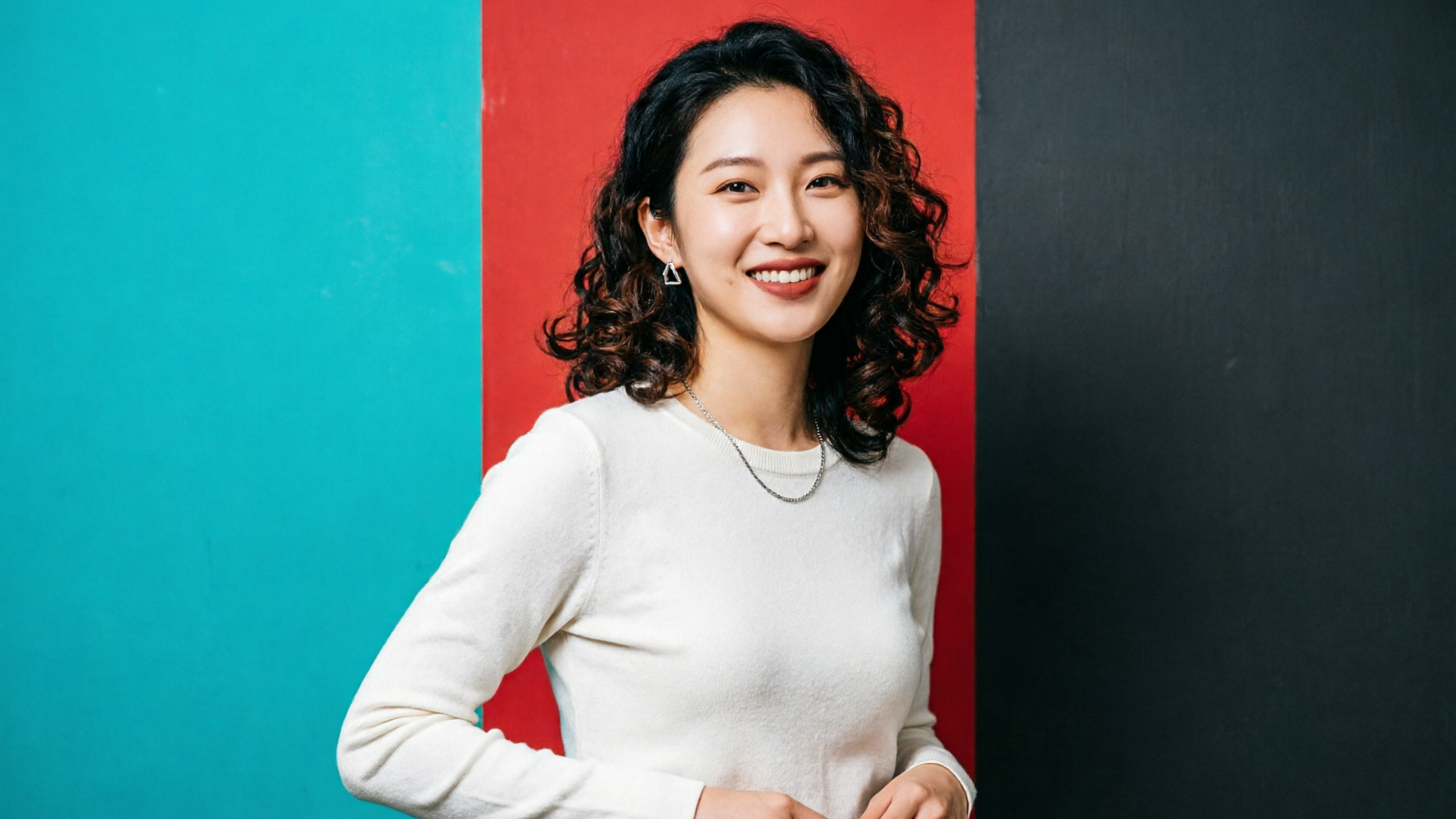
Workflow: Generate 10 thumbnail variations fast using AI image remixing
Here’s a practical, repeatable workflow that uses AI image remixing to produce 10 on-brand thumbnail variations in one session.
Setup and assets
- Choose a master still: a high-resolution frame from your video or a polished headshot.
- Define test variables: e.g., background color (red, teal, amber), two face crops (close / medium), and three text overlays (short hooks).
Step-by-step using WowMade AI Image Generator
- Upload your master still to the WowMade AI Image Generator. Use the edit-and-restyle flow so you don’t start from scratch.
- Craft a base prompt: “Close-cropped portrait of [Name], energetic expression, clean studio lighting, high contrast, bold negative space — export at 16:9 and 1:1.” (Prompt specifics: lighting, mood, and desired crop.)
- For background variations, use the restyle prompt: “Replace background with flat high-contrast teal / red / deep charcoal; keep subject edges crisp; boost micro-contrast; minimal vignette.” Run three restyle edits — the generator outputs each variation quickly and saves them to your library.
- For face size variants, run a crop edit: “Tighter crop to show face at 60% of frame; maintain original expression and color grading.” Save as a variant.
- Generate overlay-ready versions: request no text baked in but export with negative space on the right third so designers or the overlay engine can add text. WowMade outputs the aspect ratios platforms need (16:9 for YouTube, 1:1 for social feed) in one pass if you ask for multiple aspect ratios.
- Add text overlay mocks locally or with the image editor: create three short text options (2–4 words) and export each over the variant backgrounds.
Result: within 20–40 minutes you have 10 distinct, on-brand thumbnail candidates saved in the generator’s library for quick iteration. The WowMade AI Image Generator’s edit-in-place feature means you never discard the original — you build variants from it, which preserves continuity across tests.
Pull-quote
Generate, restyle, and export the aspect ratios you need in a single session — then pick the top candidates to test live.
Workflow: Run rapid A/B tests and analyze which thumbnail signals win
Fast creative without a testing plan is wasted effort. This section turns the output variants into an experiment that yields actionable conclusions.
Test setup
- Hypothesis per round: State the variable and expected direction (e.g., “Bright teal background will increase CTR by 10% vs control”).
- Create the variant set: pick 4–6 thumbnails from the 10 you generated that isolate the tested variable.
- Use platform native testing where available (YouTube Test & Compare) or a roll‑out plan: change the thumbnail for controlled traffic cohorts or time blocks.
- Run the test early: activate within the first 24–72 hours after publish when impressions are concentrated to maximize algorithmic feedback.
Metrics and significance
- Primary metric: click-through rate (CTR) by variant.
- Secondary metrics: average view duration and impression growth (to ensure you’re not winning clicks but losing watchtime).
- Minimum sample rules: aim for several thousand impressions per variant where possible. Smaller channels may need longer test windows or tests on higher-impression content.
Analyze and act
- Look for consistent winners across multiple videos or episodes. A single outlier can be noise.
- Combine successful visual signals into a new control and re-test: e.g., winner background color + winning crop + best text overlay.
- Watch for negative interaction effects: a text change that improves CTR but reduces average view duration may hurt long-term distribution.
Practical example
Run a 4-way test: control, teal background, red background, tight face crop. After 72 hours and 12,000 impressions distributed, teal shows +22% CTR versus control and holds average view duration. Promote the teal variant to the main listing and create new tests that keep teal as control.
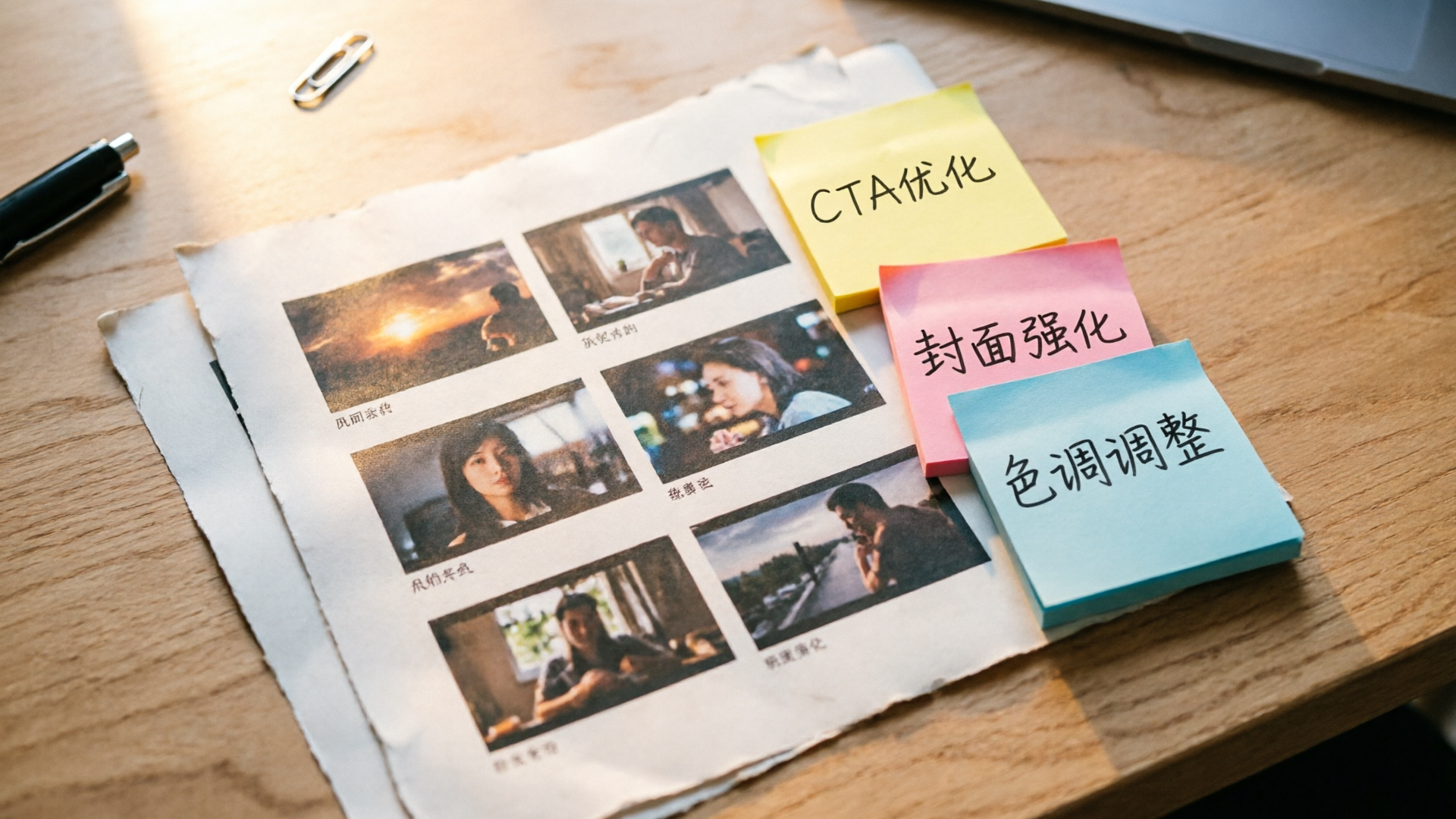
How to keep thumbnails on-brand while experimenting (brand-safe prompts & templates)
Experimentation doesn’t mean chaos. Use controlled parameters and brand-safe prompt templates so every variant still reads as part of your channel.
Brand-safe prompt structure
- Start with brand anchors: “Brand: [channel name] color palette includes #XXXXXX and #YYYYYY; tone is energetic and candid.”
- Add the visual rules: “consistent type scale, prefer 2-word overlay, strong left-to-right negative space.”
- Lock specific elements: if your logo must appear, include “logo on bottom-left 6% of frame, 20% opacity.”
Example prompt template for restyling
"Edit uploaded image: maintain subject skin tones and expression; replace background using brand palette swatches [#F25A5A, #0FA3B1, #222222]; export at 16:9 and 1:1; keep negative space on right for overlay text; sharp subject edges, subtle vignette."
Why templates matter
- Consistency: Templates preserve logo placement, font scale, and color contrast across hundreds of variants.
- Faster approvals: Non-design stakeholders see brand anchors in the prompt and can sign off before variants are generated.
- Repeatability: When a winning signal appears, you can re-run the same template across dozens of episodes.
The WowMade AI Image Generator supports saving prompts and producing multiples aspect ratios in one pass, which makes template-driven experimentation practical at scale. Use the library to store winning templates and spin them out to new episodes.
Case studies: measurable CTR lifts from simple visual swaps
Real creators have documented large, measurable lifts from focused thumbnail swaps. These case studies reinforce two ideas: single-variable tests can produce large gains, and iterative testing compounds results.
Example highlights from published case material
- Background color swaps: Aggregated tests reported by ThumbnailCreator show background color changes often yield 18–25% average CTR improvements.
- Major lift case: An Augurian case study documents an optimized thumbnail and testing program that produced a reported 95% CTR increase in a specific campaign — showing how coordinated testing and creative strategy scale results.
- Practical ROI example: Raising CTR from 4% to 7% on a video with 50,000 impressions adds roughly 1,500 views monthly, an easy win because it’s purely creative, not editorial.
What these examples teach
- Start small: swap background or crop before rewriting overlay text.
- Iterate quickly: use the best-performing signals as the new baseline and keep testing.
- Measure watchtime: a large CTR bump without engagement risks short-term traffic but long-term distribution.
These documented lifts show why an AI thumbnail generator workflow is valuable: generating many consistent, brand-safe variants quickly is the only practical way to run systematic A/B tests at scale.
Why WowMade AI Image Generator is the right tool to scale thumbnail experiments
If your goal is to run systematic, repeatable thumbnail experiments, you need a tool that does three things well: fast restyling of an existing photo, output in platform aspect ratios, and a place to store and iterate on winning variants. That’s precisely what the WowMade AI Image Generator offers.
Key capabilities that matter to creators
- Generate images from a text prompt and edit/restyle uploaded photos with a prompt — use your master still and create dozens of variants without reshooting.
- Outputs at the aspect ratios social and ads platforms actually need — export 16:9 and 1:1 in one pass so you don’t recompose manually.
- Saves variations to your library so you can iterate — winning signals become templates you can apply to future episodes.
Concrete walkthrough (mini): create a 4-variant test in WowMade AI Image Generator
- Upload a frame and open the Edit mode in the WowMade AI Image Generator.
- Apply three restyle prompts: “Flat teal background, high micro-contrast, tight vignette”; “Warm amber background, +15% saturation”; “Deep charcoal, bold negative space.” Request outputs in 16:9 and 1:1.
- Export the four candidates, add three overlay text options locally, and save all variants to the project library.
- Ship the variants into your test queue and run the A/B experiment.
Why this matters: the tool’s edit-in-place approach means you preserve your original and produce consistent, on-brand variants fast — then iterate on winners. If you want to expand this workflow into short promos or intros, the output frames flow directly into WowMade AI Video Generator for motion tests, and you can layer music from the AI Music Generator when you need a full promo cut.
This combination — quick restyles, aspect-ratio exports, and a library for iteration — is why WowMade AI Image Generator is a practical foundation for systematic thumbnail testing.
Conclusion
Thumbnail testing scales when you remove manual bottlenecks. Use the workflows above to generate dozens of consistent, on-brand variants fast, test one variable at a time, and promote winners into your control. The WowMade AI Image Generator’s edit-in-place restyling, multi-aspect exports, and saved-variation library make it the fastest way to run repeatable thumbnail experiments without a designer. Spin up your first frame in the AI Image Generator and ship your first test-ready thumbnail during your next break.