Build a Short Sonic Identity Fast: Audio Logos & Sonic Palettes with AI
How small brands can build audio logos and sonic palettes quickly. Hands-on workflows using WowMade AI Music Generator to prototype, test, and ship sound assets.
Picture a noisy social feed: a three-second chime plays and a viewer stops mid-scroll. That tiny sound—the audio logo—does heavy lifting: recognition, mood-setting, and memory. For small teams and creators, building that sonic identity used to mean hiring composers or buying expensive libraries. Today, audio logo AI tools like WowMade AI Music Generator let you prototype memorable, copyright-safe sonic assets in minutes.
This guide walks marketers, creators, and brand teams through why short sonic assets matter, which elements make them work, and how to brief and test them. You’ll get two hands-on workflows: one to produce a 3–6 second audio logo in one session using the WowMade AI Music Generator, and another to assemble a 3–5 stem sonic palette you can drop into any edit. Along the way we’ll cover scaling rules, IP basics, and quick tests to validate recall. Practical examples, a comparison table, and a short checklist make this actionable whether you’re launching a startup brand or retrofitting sound into an existing content pipeline.
Why short sonic assets (audio logos & 'sonic palettes') matter now
Short sonic assets—typically 1–3 second audio logos and slightly longer 3–6 second variants—are compact memory hooks. They’re designed to be audio mnemonics that trigger instant recognition across video, apps, and ads without taking screen time. Industry work shows well-executed sonic marks can materially affect brand metrics; reviews of sonic branding research report measurable uplifts in perceived brand value and purchase intent (roughly a mid-single-digit percentage range for recognized identities). Sound-brand indexes have recorded recognition rates approaching 70% for prominent audio identities, showing how powerful a short, consistent sonic cue can be when deployed broadly.
Why now? Attention is fragmenting across short-form video, in-app UI, and ads. A short audio logo scales across those touchpoints better than a 30-second jingle because it’s flexible, instantly recognizable, and cheap to reproduce. AI music tools change the game: you can generate multiple, copyright-free variants quickly, test them in social A/B tests, and iterate without long composer timelines. That speed matters for small teams that need to ship cohesive brand experiences across dozens of clips each month.
Core elements of a sonic palette: timbre, rhythm, motif, and voice
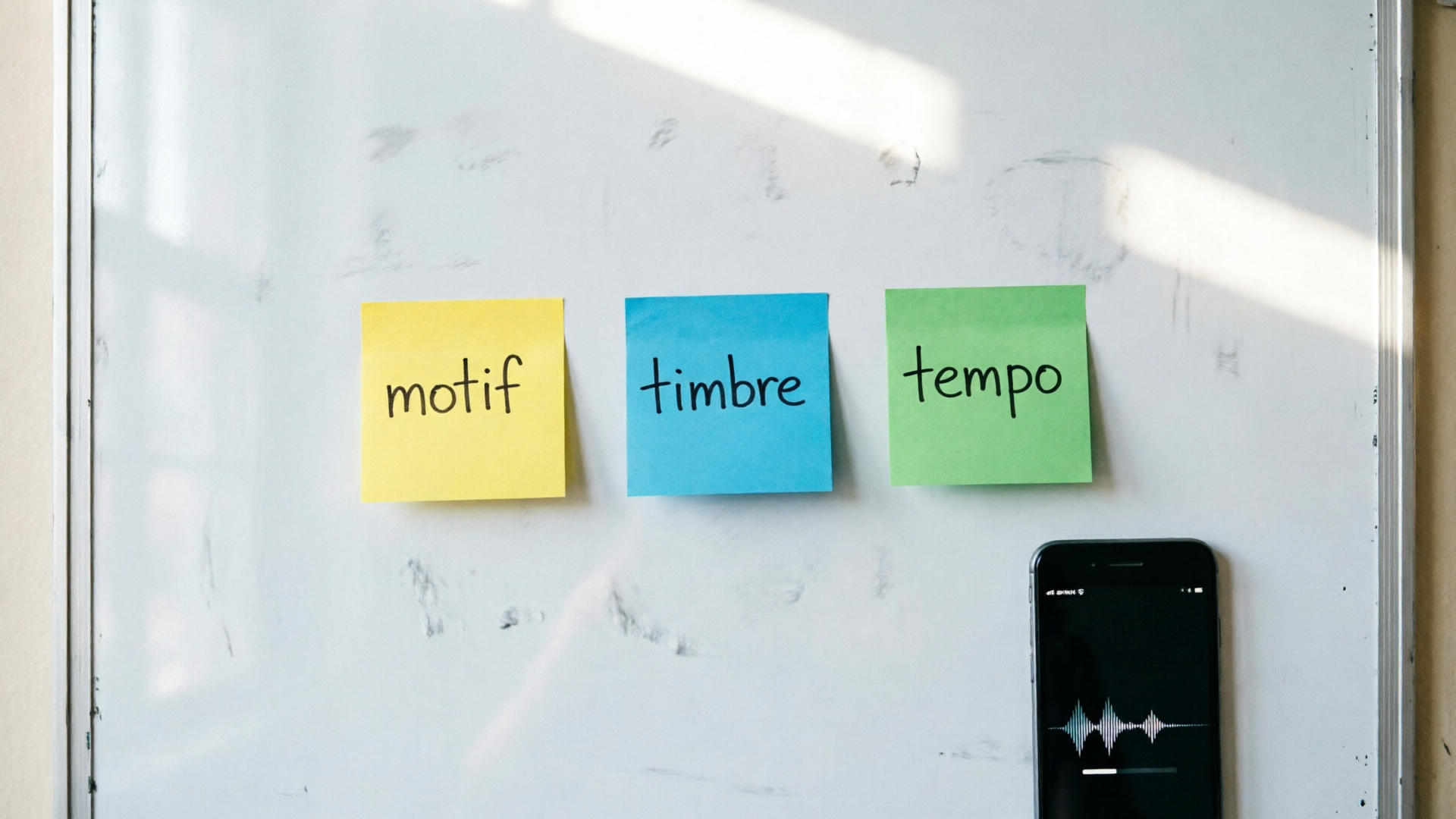
A sonic palette is more than one-off jingles. Think of it as a toolkit of short stems and motifs that express brand personality across contexts. Four elements matter most:
- Timbre: The instrument's tone—bright bell, warm synth, plucked string—signals attributes like modern vs. vintage or playful vs. premium. Research on timbre shows it cues category and gendered perceptions quickly, so choose sounds that map to your brand attributes.
- Rhythm: Short rhythmic patterns (beat snaps, percussive clicks) create tempo cues for motion and pacing. Use a staccato rhythm for energetic brands and legato patterns for calm, trust-focused brands.
- Motif: Short melodic fragments—one or two notes plus a resolving interval—are the mnemonic core. Motifs should be concise (often under three seconds) so they can loop or be overlaid on visuals.
- Voice/Texture: Human vocals, tonal hums, or synthetic textures add human presence or subtle warmth. Reserve voiced hooks for contexts where speech clarity and localization are solved.
Combining these elements, a sonic palette typically includes 3–5 stems: an audio logo (1–3s), a short melodic loop for intros (3–6s), a percussive hit for transitions, a longer ambient pad for longer edits, and a vocal or tonal tag if needed. When you brief any generator—human or AI—describe these elements explicitly so outputs are consistent and reusable.
Related guide: AI music logo playbook.
How to brief an audio logo or jingle for consistent brand use (strategy checklist)
A clear brief saves time and ensures the audio fits your visual identity. Use this checklist whenever you create an audio logo or palette:
- Purpose and contexts: List where the asset will run (app UI, 6s ads, YouTube intros, in-store). Shorter logos for UI, slightly longer for social ads.
- Brand attributes: Choose 3 adjectives (e.g., bold, warm, minimalist) and match them to sounds (bright xylophone, warm analog bass, sparse percussion).
- Length and form: Specify the exact duration(s): 1–3s audio logo, 3–6s variant, plus a 15–30s loop if needed.
- Motif anchor: Describe the melodic shape (rising fifth, descending minor third) or provide reference audio.
- Timbre references: Provide 2–3 example instruments or adjectives (glass bell, muted electric guitar, analog pad).
- Licensing and IP: State you need commercial, copyright-free outputs or platform-provided license to avoid clearance friction.
- Deliverables: Request stems (melody, bass, percussion), exported WAV/MP3, and a dry and wet version (with and without reverb) for flexible mixing.
When using WowMade AI Music Generator, include style, tempo, and mood parameters in your prompt to get predictable results. For example: “3s bright bell audio logo, rising major third motif, 140 BPM feel, warm analog tail, commercial-use license.” That specificity reduces trial-and-error and yields ready-to-drop stems you can use across edits.
Hands-on: Create a 3–6 second audio logo in one session (AI-assisted workflow)
This walkthrough shows how to produce a 3–6 second audio logo in a single focused session using WowMade AI Music Generator.
Step-by-step workflow:
- Prepare the brief (5–10 minutes): Use the checklist above—choose brand adjectives, desired length (e.g., 3s), and timbre (bright bell). Have a reference audio clip if possible.
- Open the WowMade AI Music Generator (/create-music) and enter a focused prompt: “3s audio logo, bright glass bell, rising major third motif, slight analog reverb, warm mood — commercial use.” Mention export of stems if available.
- Generate 6–10 variants (2–5 minutes): AI tools let you iterate quickly. Tweak tempo or instrument words (e.g., “muted trumpet” vs “glass bell”) if the first pass misses the mark.
- Select and export stems (2–3 minutes): Choose the best variant and export the melodic stem, percussive hit (if any), and a dry/wet pair. The WowMade AI Music Generator produces original tracks ready to import into your editor without separate licensing headaches.
- Test in context (10–15 minutes): Drop the audio logo into three short edits: a 15s ad, an app notification mock, and a 6s vertical social clip. Check how it reads at different loudness levels and with/without visual sync.
Worked example: A bootstrapped ecommerce brand wants a 3s logo. Prompt used: “3s audio logo, bright bell xylophone, ascending major third motif, subtle analog reverb, energetic but refined.” In two quick generations the team found a version with a clean bell timbre and exported a dry melodic stem plus a version with reverb for social videos. Because WowMade’s outputs are original and export-ready, the team imported the stems into their editor and had assets across three creative cuts in under an hour.
This rapid loop—brief, generate, test, export—turns what used to be days of back-and-forth with a composer into a single production session.
Hands-on: Generate a short sonic palette (3–5 reusable stems/loops) you can drop into any edit
A sonic palette gives you modular sounds for different lengths and formats. Here’s a workflow to create a 3–5 piece palette using WowMade AI Music Generator.
- Define palette roles (10 minutes): Choose roles such as audio logo (1–3s), intro loop (4–6s), transition hit, ambient pad (8–20s), and a percussive loop. Keep the palette cohesive by fixing one sonic anchor—timbre or motif.
- Prompt for cohesive variants (10–15 minutes): Use prompts that share the same motif and timbre. Example prompt series: “Melodic loop 4s, same rising major third motif as audio logo, warm synth bell, 95 BPM, export stems.” Repeat with “transition hit, percussive, muted woodblock, matching tonal center C4.”
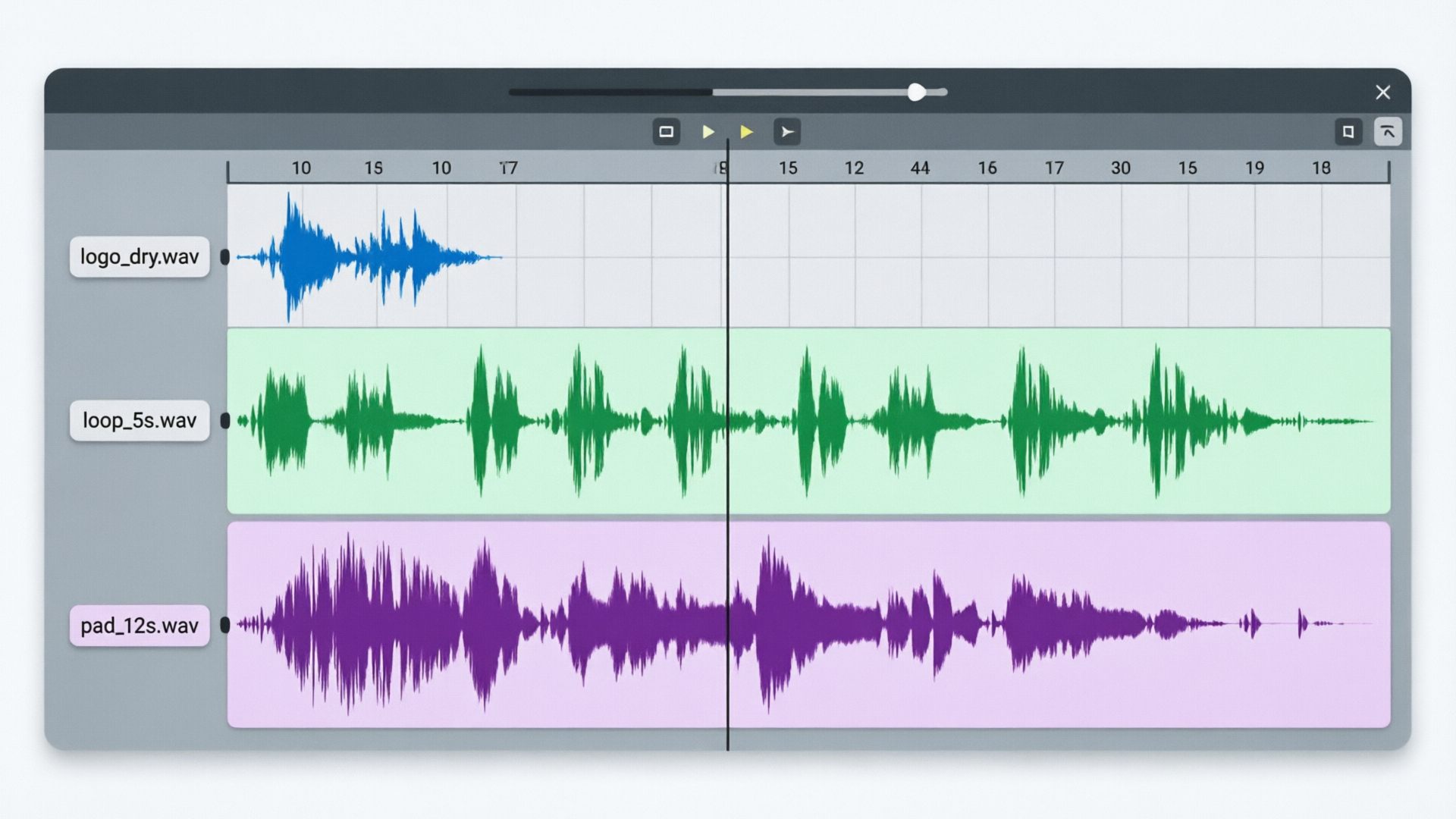
- Export stems and label (5 minutes): Export as individual WAV stems so editors can mix them. Label files clearly (logodry.wav, loopwet.wav, transition_hit.wav).
- Assemble quick demos (10–20 minutes): Build three example edits—a 6s social ad, a 15s product spot, and a 30s explainer—dropping stems as needed to validate flexibility.
Concrete example: Using the same timbral anchor (bell-like synth), the team generated:
- audiologo3s.wav (main mnemonic)
- loop5sinstrumental.wav (intro loop with bass bed)
- transition_click.wav (short percussive hit)
- pad12sambient.wav (background texture)
- vocaltagoptional.wav (short hum to use on long form)
Comparison table: quick reference when choosing what to generate
- Asset | Typical Length | Purpose
- Audio logo | 1–3s | Instant recognition, UI triggers
- Intro loop | 3–6s | Social intros, pre-roll
- Transition hit | 0.2–0.8s | Scene changes, button taps
- Ambient pad | 8–30s | Longer edits, mood support
- Vocal/tonal tag | 1–4s | Human presence, onboarding
Using WowMade AI Music Generator means these stems are original and export-ready, so you avoid library clearance and can ship faster. Once exported, keep a short style guide that lists BPM, key, and suggested loudness for each stem so editors can maintain consistency across projects.
Rules for scaling sonic identities across platforms — UI, ads, long-form, and social
Scaling a sonic identity requires rules that preserve recognition while adapting for context.
- Keep the motif consistent: Use the same melodic fragment or timbral anchor across formats. That 1–3 second motif is your brand’s earworm; it should be audible in a UI beep and in the first beat of a 6s ad.
- Scale duration with intent: Use shorter chops for UI and notifications, medium loops for ads and social intros, and longer pads for long-form content or background scoring.
- Sync with visuals: Audio-visual logo sync improves recall. Time the motif to a visual mark—logo reveal or splash—so the brain forms the association. Studies show synchronized deployment improves brand association compared with audio-only or visual-only cues (see Marketing Brew’s report on audio-visual logos).
- Provide multiple mixes: Offer dry (no reverb) and wet (ambient tail) mixes, plus a low-loudness version for mobile and a dynamic-friendly version for broadcast. Provide stems so editors can adapt levels.
- Localize smartly: Keep motif and timbre intact, but adapt voice or tempo to regional preferences. For vocal tags, record local language variants or use a neutral nonverbal hum.
- Test in-platform: Run short A/B tests on social or use recall surveys to measure recognition before committing to a global roll-out. AI tools let you produce variants quickly for testing.
When you combine these rules with AI-assisted generation, the practical advantage is speed: iterate while you test, then lock the palette once a winner emerges. If visuals are part of the signature, use WowMade AI Video Generator (/create-video) to mock up synchronized reveals for your tests.
From prototype to production: protecting IP, testing recall, and deploying your sonic system
Moving from prototype to production requires attention to IP, testing, and practical rollout.
IP and licensing
- Document provenance: Keep prompts, generation timestamps, and exports in a project folder. This documentation supports future trademark filings or disputes.
- Use commercial licenses: Prefer outputs that come with a platform-provided commercial license or are explicitly copyright-free. WowMade AI Music Generator produces original tracks ready for use without separate library clearance, which reduces legal friction.
- Trademark considerations: Many jurisdictions allow sound trademark registration, but requirements vary. If the audio logo is a core brand asset, consult IP counsel and preserve proof of creation.
Testing recall and effectiveness
- Short-term A/B tests: Run variants as social ads or in-app notifications and measure click-through, engagement, or recognition in micro-surveys. Rapid iteration with AI lets you test more options for the same budget.
- Recall surveys: Use a small panel to test unaided and aided recognition for candidate audio logos. Industry studies show high recognition correlates with stronger brand metrics.
Deployment checklist
- Produce stems and mixes (dry/wet, low/high loudness).
- Create a short audio style guide: motif, key, BPM, allowed tempo changes, and localization rules.
- Train editors and engineers: share the palette and the WowMade exports so assets are used consistently.
- Version control: treat sonic assets like code—tag versions, keep originals, and record the final files approved for use.
Final practical note: AI music generators don’t eliminate compositional judgment. Use them to iterate quickly and to deliver production-ready stems, but pair iteration with small empirical tests and clear IP documentation. If you need matching visuals for testing your audio-visual lockups, use WowMade AI Image Generator (/create-image) or the AI Video Generator (/create-video) for quick mockups.
External reading: For a concise primer on sonic branding concepts and measurement, see the SoundOut guide: https://soundout.com/learn/what-is-sonic-branding.
Frequently Asked Questions
How short should an audio logo be?
Most audio logos are 1–3 seconds to act as a quick mnemonic across touchpoints. Create 3–6 second variants for social or ad intros when you need slightly more context.
Can AI-generated audio be trademarked?
Yes, sound trademarks are possible, but requirements vary by jurisdiction. Preserve prompts, timestamps, and exported files to document provenance and consult IP counsel before filing.
Will AI outputs cause licensing problems on platforms like TikTok?
Use generators that provide commercial or copyright-free outputs. WowMade AI Music Generator creates original tracks with export-ready licensing to reduce clearance issues.
How do I test which audio logo performs best?
Run A/B tests as short social ads or micro-surveys measuring recall and engagement. Use rapid AI iteration to generate several candidates and test them in the exact context they'll run.
Conclusion
Sonic identity is compact but powerful: a well-crafted 1–3 second audio logo plus a short sonic palette can lift recognition and make every video and UI feel coherent. For small teams, AI collapses the timeline—prompt, generate, test, and export—so you can ship sound assets the same day you decide you need them. Use short, specific briefs, produce stems and mixes, and validate with quick A/B tests.
Open the AI Music Generator and pop a vibe in—export original stems and you'll have a track to score the cut in minutes.